 Moorfox
Saved commands and flows
Two layers. A saved command is one script with a name, kept in the library so it is run the same way every time instead of being pasted from somebody's notes. A flow chains several commands into a sequence that runs against a device as one unit.
Both run with the agent's privileges, SYSTEM on Windows and root on Linux, so both are admin-only to create.
The command library
Commands in the sidebar, under Manage. Anyone can see and run what is there; only admins can add to it.
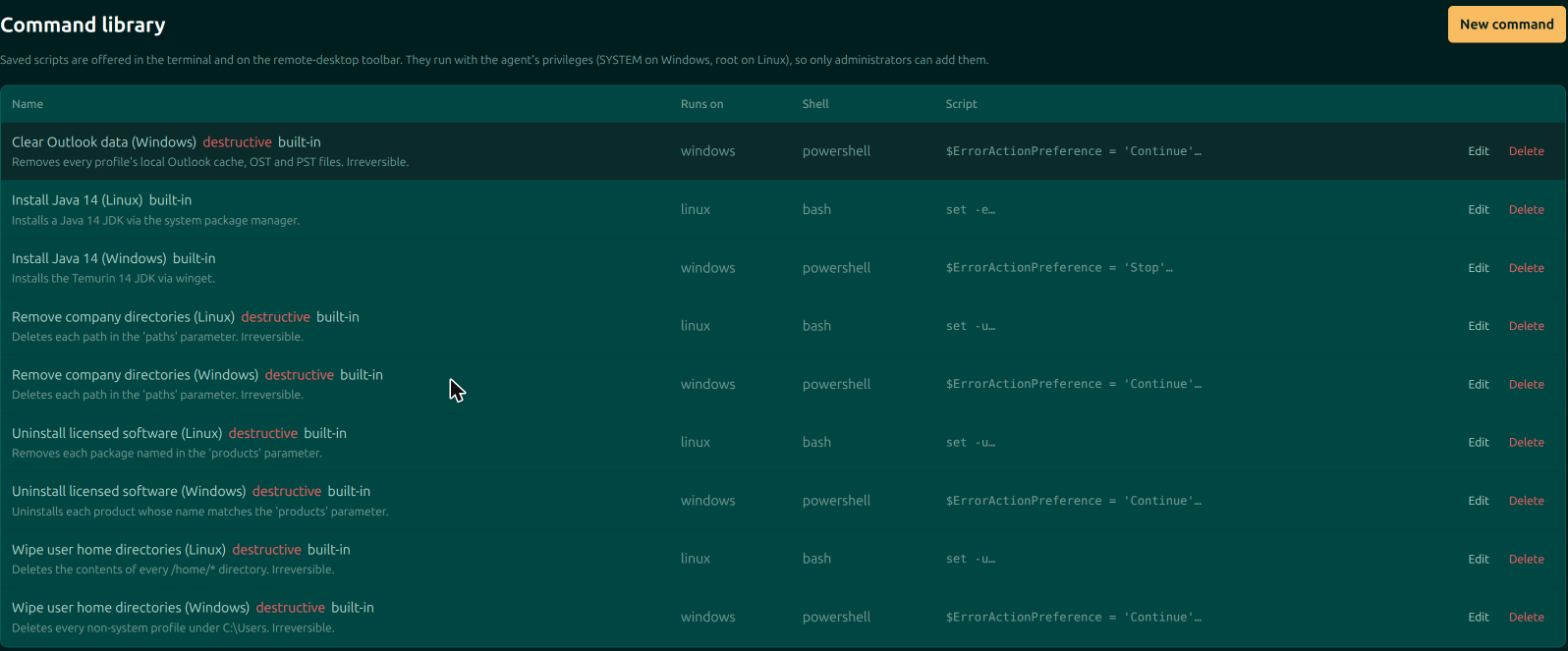
Saved commands turn up in two places: the Run a saved command picker in a device's terminal, and the Commands menu on the remote-desktop toolbar. Only the ones that apply to that machine's platform are offered.
Writing one
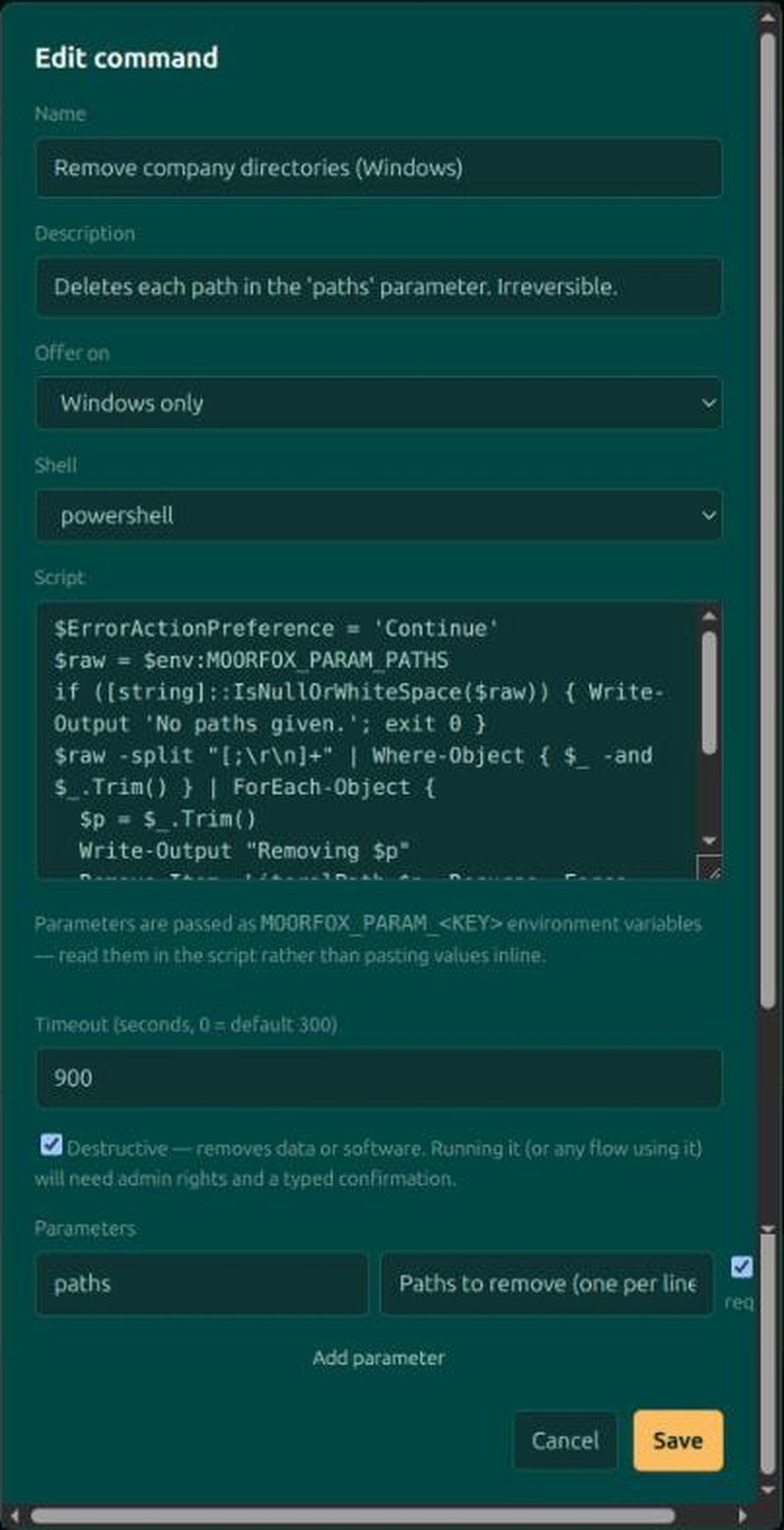
| Field | What it does |
|---|---|
| Name and description | What the operator picking it off a menu sees. Worth writing properly: the picker is the only context they get. |
| Offer on | Any machine, Windows only, or Linux only. This is what keeps a PowerShell script off the Linux boxes. |
| Shell | Platform default, or pin it to powershell, cmd, bash or sh. |
| Script | The body. It runs as SYSTEM or root, with no prompt. |
| Timeout | Seconds before the run is abandoned. Zero means the default of 300. |
| Destructive | Marks a command that removes data or software. Running it, or any flow containing it, then needs admin rights and a typed confirmation. |
| Parameters | Values the operator fills in at run time. Each has a key, a label shown to them, and whether it is required. |
Parameters reach the script as MOORFOX_PARAM_<KEY> environment variables. Read them from the environment rather than pasting the value into the script text: a value that arrives as a variable cannot rewrite the command around it, whatever somebody types into the box.
Flows
Flows in the sidebar. A flow is an ordered list of library commands run against one device as a single unit. Admin only, throughout.

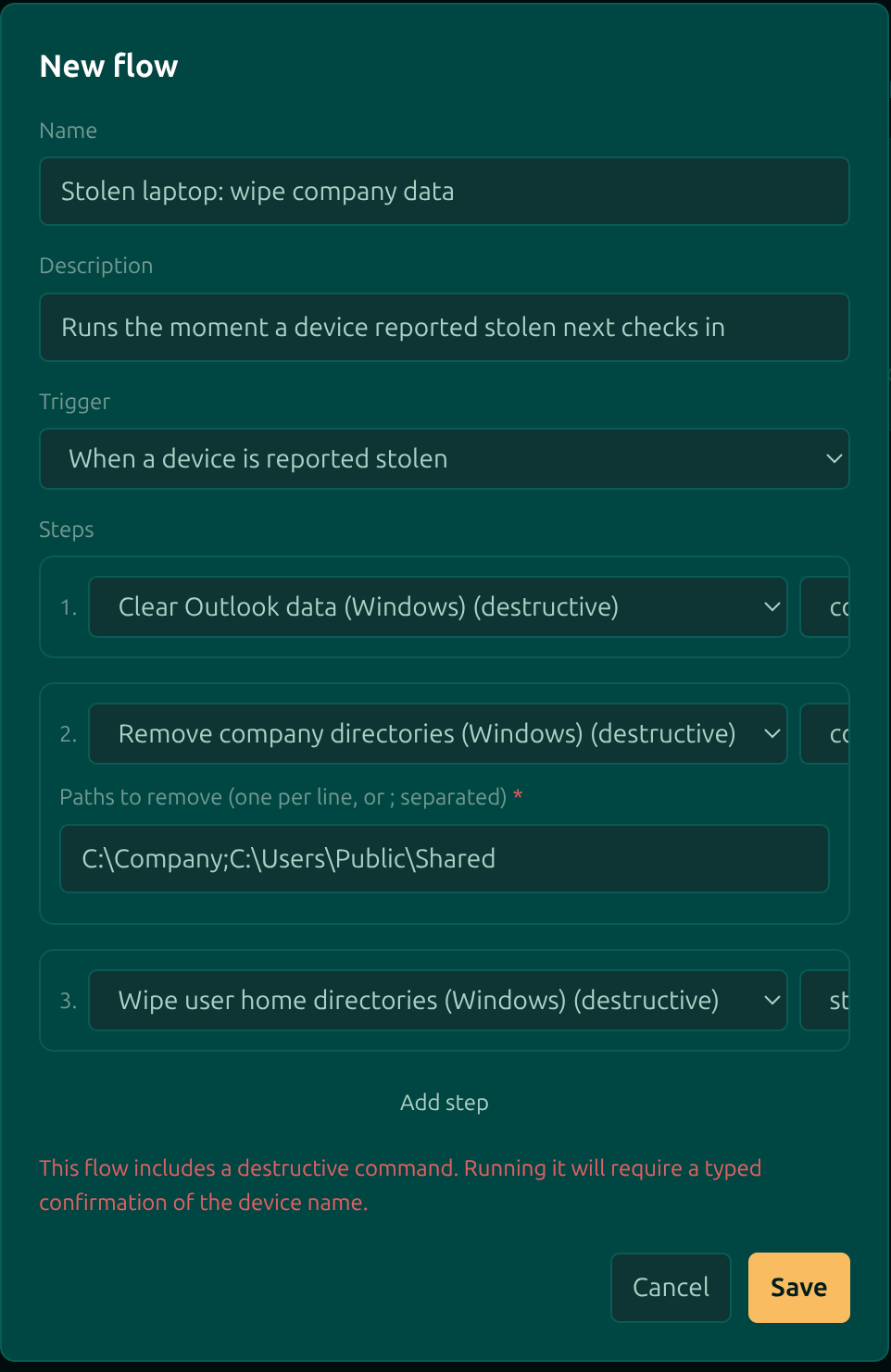
Add the commands in the order they should run. Each step carries one more decision: stop if it fails or continue if it fails. That choice is the difference between a flow that gives up safely halfway and one that finishes the job regardless, and which you want depends entirely on the step. Steps reorder with the arrows, and any parameters the chosen command declares appear underneath it to be filled in now rather than at run time.
Triggers
| Trigger | What happens |
|---|---|
| Manual only | The flow is run from a device's page, when somebody decides to. |
| When a device is reported stolen | The flow fires the moment that device next checks in. This is the case flows exist for: a stolen laptop is almost always offline when you find out, and the wipe has to be waiting for it rather than issued at it. |
A flow containing any destructive command is itself marked destructive, and the dialog says so while you are still building it. Running one needs the device's name typed to confirm.
A flow is the unattended path: nobody is watching the screen while it runs, and its steps have SYSTEM or root. Treat adding a step with the same care as running the command by hand on every machine the flow will ever touch.
What a run leaves behind
Every step records how it ended: its status, its exit code, whether it hit the timeout, the tail of its output, and any error. That record is what turns "the wipe ran" into "the wipe ran, and step three timed out". Runs are also written to the activity log under the Automation category.
Moorfox is remote monitoring and management without the enterprise tax.
One agent, one dashboard, remote desktop and a real terminal on every machine you look after.