 Moorfox
Moorfox QuickSupport
QuickSupport connects you to any Windows or Linux machine in about a minute: the person downloads one small program from your team's link, reads you the nine-digit code it shows, and clicks Allow. Nothing is installed, the code dies after ten minutes or one use, and only your team can connect to it.
How a session connects, start to finish
1. Send the person your support link
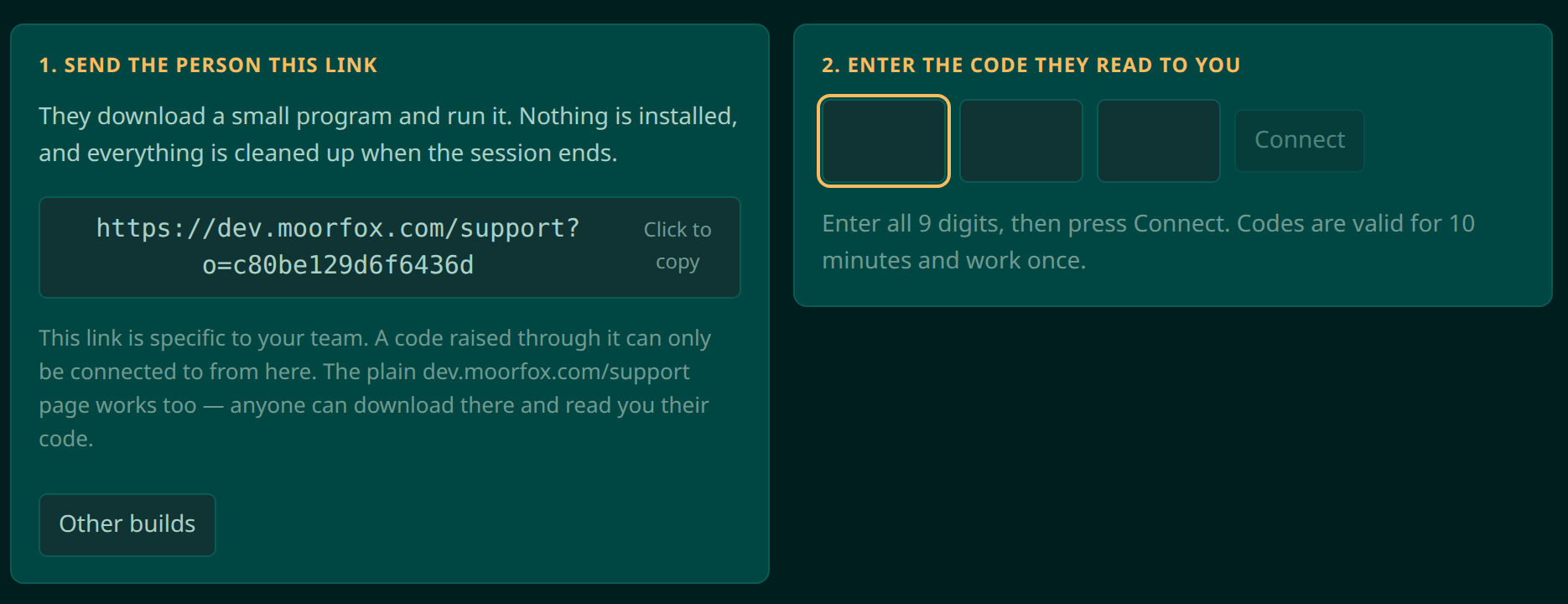
The Quick support page in the dashboard gives every team its own
download link. Send it over the phone, in an email, or print it on your
letterhead; you can also claim a permanent, speakable address like
app.moorfox.com/support/yourcompany. A code raised through
your link can only be connected to by your team, so a code read to a
stranger is useless to them.
2. They download one small program and run it
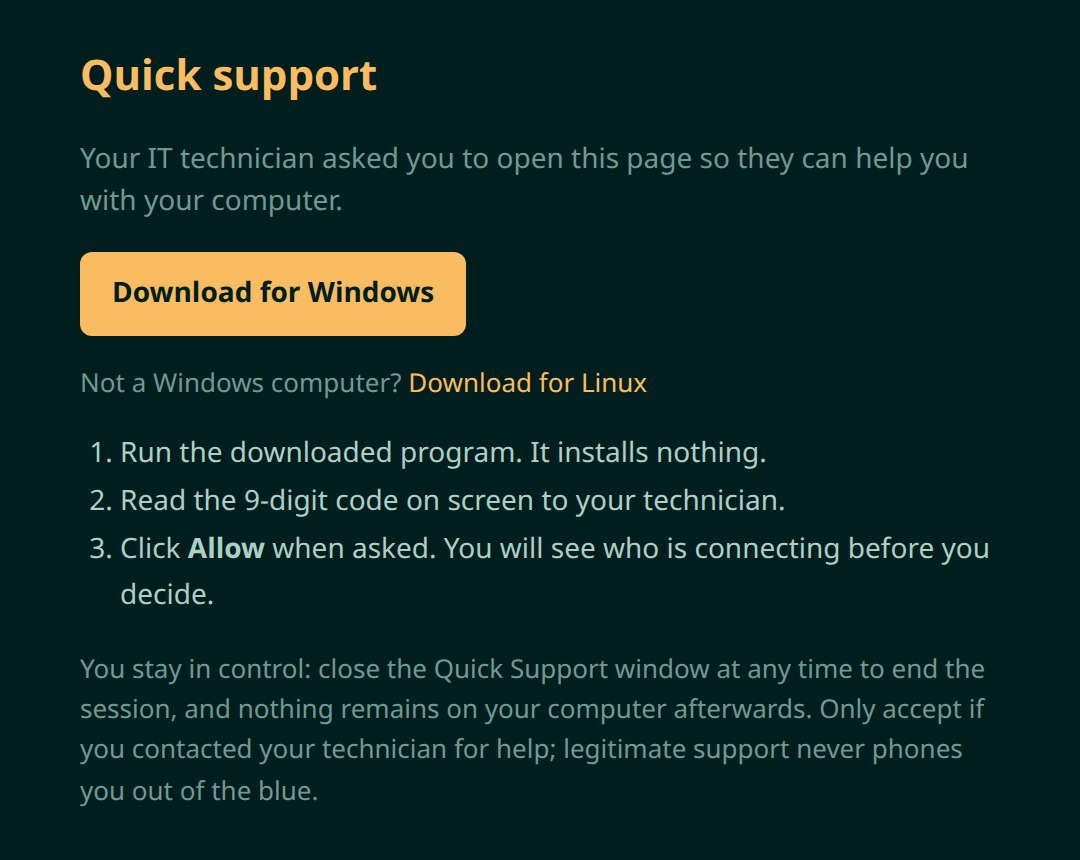
The page detects their platform and offers a single download, Windows or Linux. It is a portable program, not an installer: nothing is added to the machine, nothing starts with Windows, and when the session ends the only thing left is the file they downloaded.
3. They read you the code on their screen
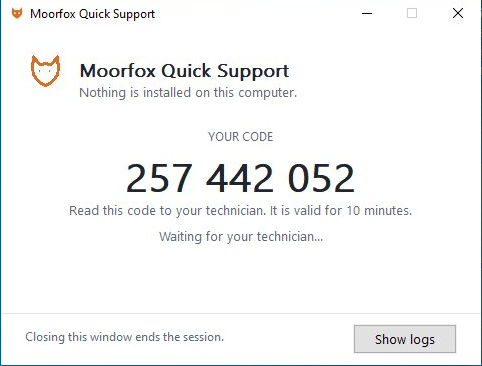
The program shows a nine-digit code, three groups of three, sized to be read over the phone. Codes are valid for ten minutes and work exactly once; a code that has been used, or has expired, is just nine dead digits.
4. Type it in, and they stay in control
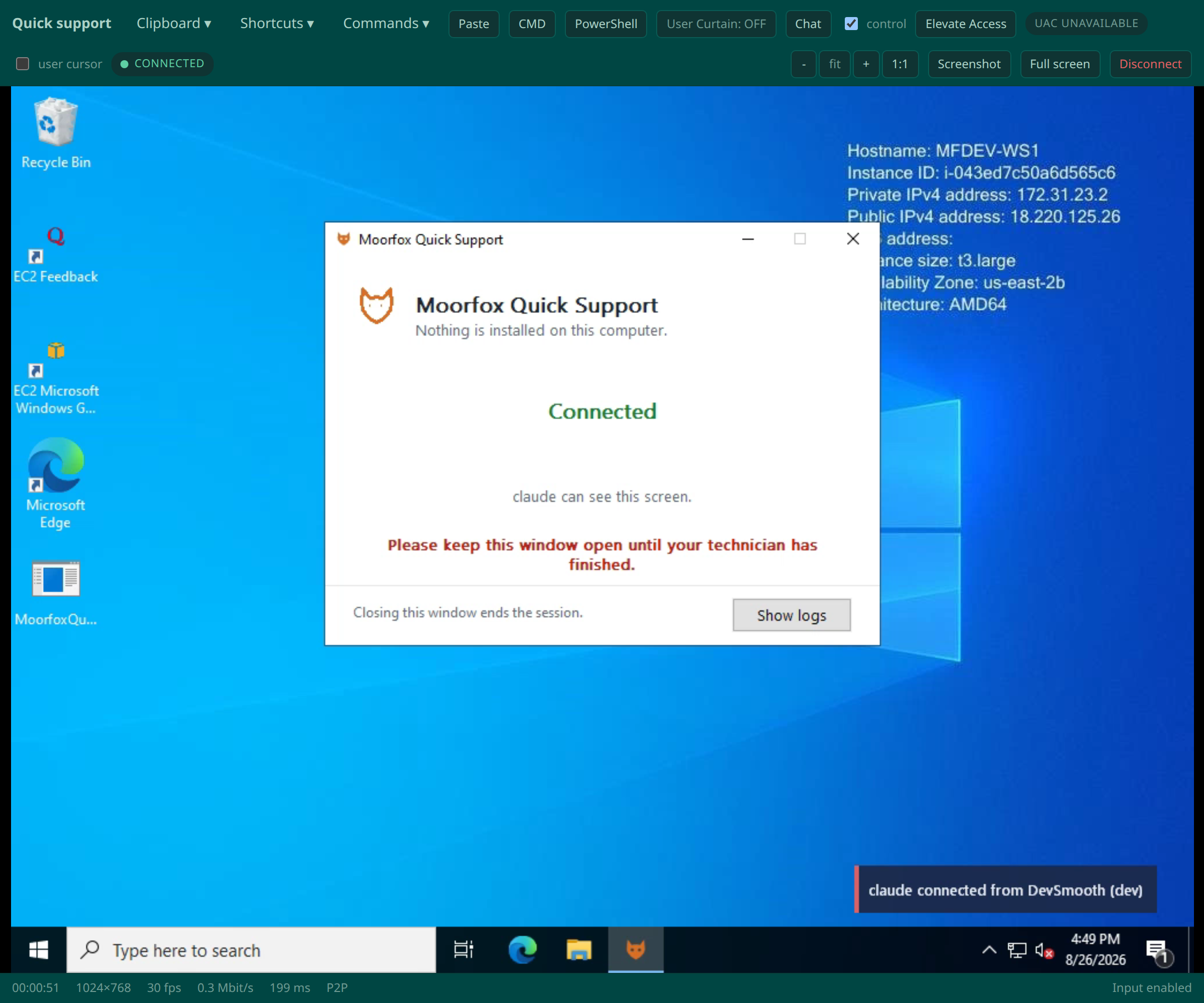
You type the code into the dashboard and press Connect. Before you see anything, they are shown who is asking and click Allow; when the session ends, the program exits and the machine is exactly as it was. The session itself is the same viewer used for managed devices: encrypted end to end, peer to peer where the network allows.
Frequently asked questions
Does the customer have to install anything?
No. QuickSupport is a single portable program. Running it installs nothing, and closing it ends the session and leaves the machine as it was.
What stops a scammer using my support link?
Codes are bound to your team: only technicians signed in to your Moorfox organisation can connect to a code raised through your link. The download page also warns, in plain words, that legitimate support never phones out of the blue.
How long does a code last?
Ten minutes, and it works once. A mistyped or expired code simply fails; ask them to run the program again for a fresh one.
What does QuickSupport cost?
$10 per technician per month, counted as the number of people who started at least one attended session that month. A technician who started none is not billed, and the machine on the other end is never counted as a device.
Which platforms can I support?
Windows and Linux today. The person being helped needs nothing but a browser to download the program.
Try it on the free tier.
QuickSupport is part of every Moorfox account. Up to 10 managed devices free, attended sessions at $10 per technician per month, and no card to start.
Screenshots are from a live Moorfox environment, taken 2026-08-26.