 Moorfox
Every machine you look after, in one place.
Remote monitoring and management for Windows and Linux. Remote desktop and terminal, quick support for machines you don’t yet manage, patching on a schedule you set, alerts that reach the right person, a security score for every machine, inventory down to the memory modules, and one small agent that keeps itself up to date.
Free for up to 10 devices, no card. One agent, nothing to open inbound, encrypted end to end.
Moorfox in 83 seconds.
Why we wrote our own agent, capture pipeline and protocol instead of wrapping VNC or RDP, and a quick look at everything else it does.
Plays from YouTube in privacy-enhanced mode; nothing loads from YouTube until you press play. Watch on YouTube
Everything Moorfox does, on one screen.
The complete list, not the highlights. If a thing is not here, Moorfox does not do it yet, and we would rather say so than let you find out later.
Take hold 6
- Remote desktop multi-monitor, clipboard both ways, Ctrl-Alt-Del
- Remote terminal PowerShell or a root shell, running as SYSTEM
- File explorer browse and transfer, no session needed
- Processes & services inspect, restart, stop
- Disk usageNew what is filling the disk: tree, file types, treemap
- Quick supportNew attended help for machines you don’t manage
Keep watch 7
- Security score fourteen factors, honest about gaps
- Bitdefender EDRNew detection and response on the devices you pick, $4 each, beside Defender
- Live inventory down to BIOS, GPUs and memory modules
- AlertsNew CPU, memory, disk, offline, crashes; emails routed per tag
- Network isolationNew cut an infected machine off the network; the agent stays connected
- Streamed logs still readable after the machine goes dark
- Activity trail append-only; nobody edits history
Set to work 6
- PatchingNew Windows and Linux updates in a weekly window, held back until they have aged
- Saved commands your script library, one click on any machine
- FlowsNew command sequences with triggers, wipe a stolen laptop
- Groups & tags structure for filtering, alerts and rollouts
- Fleet enrolment one token onboards a whole estate
- Your brandingNew name, colours and support contact on the desktop, per group or device
Trust it 5
- Permissions & guestsNew per-person toggles; guests see only assigned machines
- Self-healing updates checksum-verified; a bad build reverts itself
- Controlled rolloutsNew group by group, pin or roll back per device
- Nothing inbound agents dial out; no port forwarding, ever
- Encrypted end to end media goes peer-to-peer where it can
The screens you would live in.
Uncropped, from a live dashboard. The product and this site share one palette, so what you see here is what you get there.
Remote desktop, locked screens included
A Windows server at its lock screen, mid-session: send Ctrl-Alt-Del, sign in, work. The status bar keeps the truth in view, frame rate, bandwidth, latency, and whether media is flowing peer-to-peer. The person at the machine always sees who connected.
Read the docs: connect and manage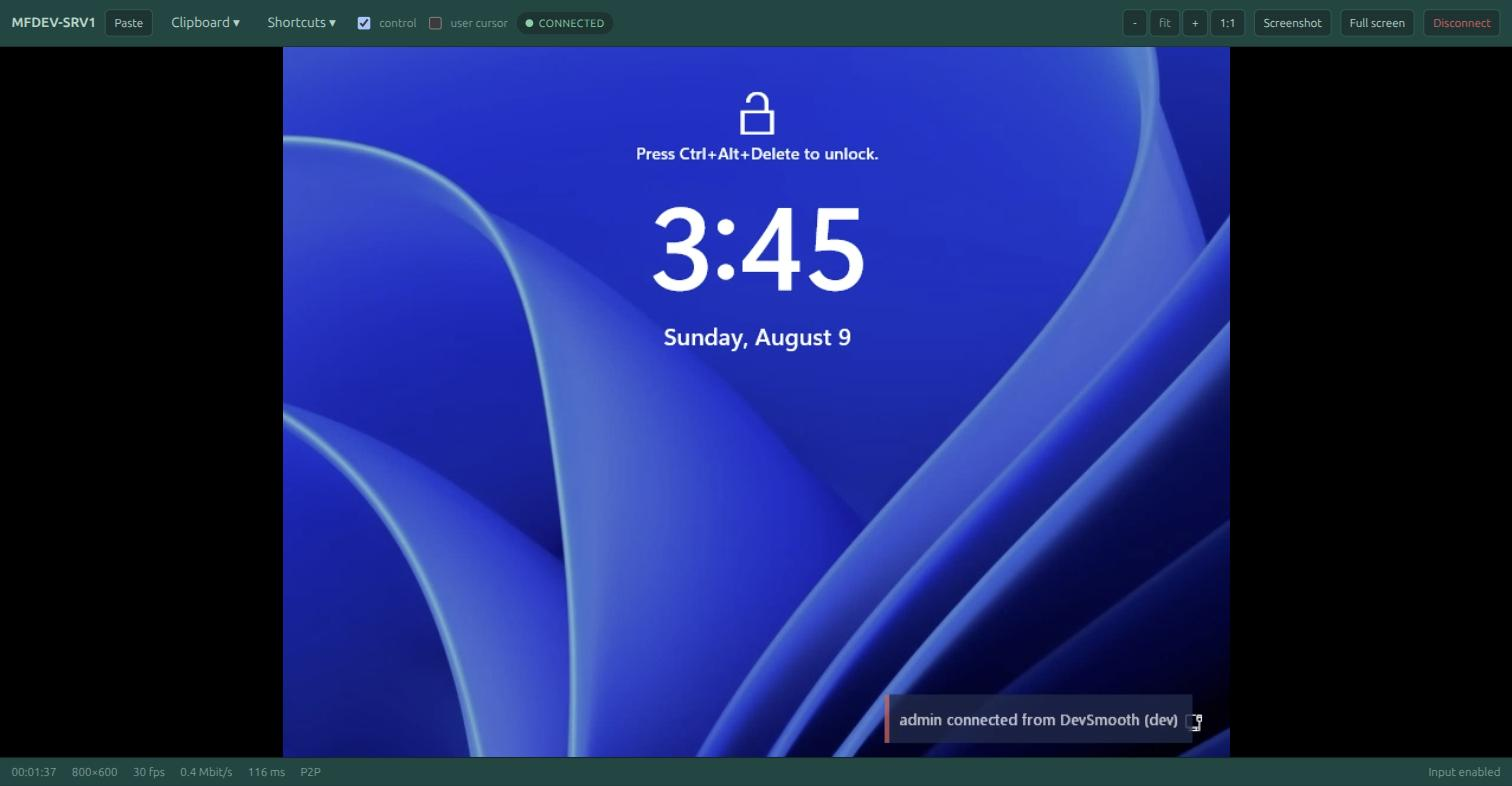
Every monitor, one click away
Multi-monitor machines are the rule, not the exception. The Screens menu shows a live thumbnail of every display on the remote machine: open one in its own browser tab, switch the current tab to it, or open them all at once and work across the lot side by side.
Read the docs: connect and manage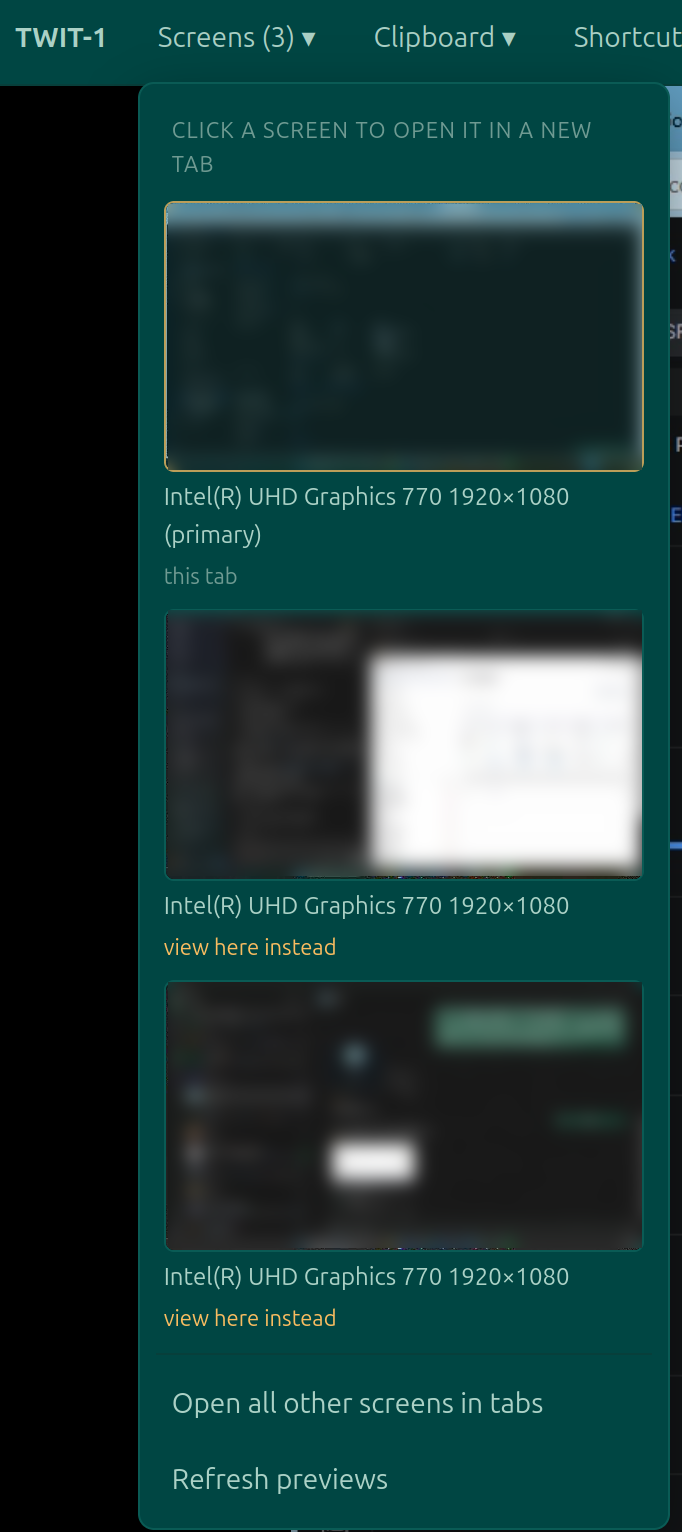
A real terminal, running as SYSTEM
PowerShell or cmd on Windows, a root shell on Linux, on any enrolled machine including headless servers where a desktop has nothing to show. File explorer, processes and services sit one tab away in the same pane.
Read the docs: connect and manage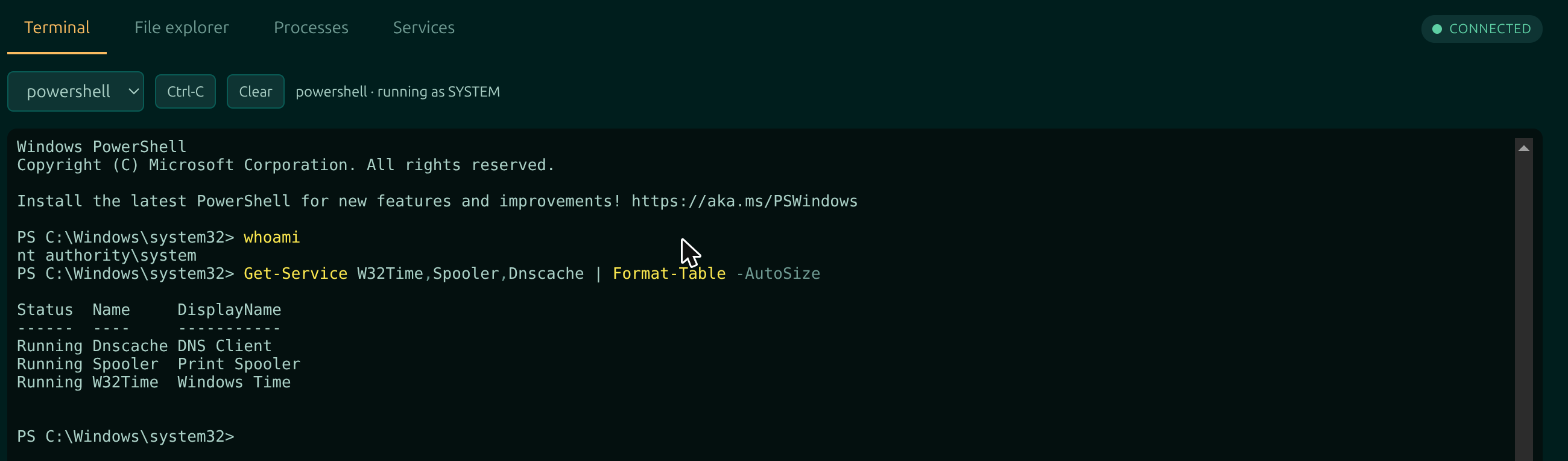
A security score that shows its working
Every device scored out of 100 across fourteen factors: disk encryption, antivirus and EDR, firewall, patching, Secure Boot and more. Anything the machine could not prove is excluded from the score rather than guessed, and the card says exactly which points those were.
Read the docs: the security score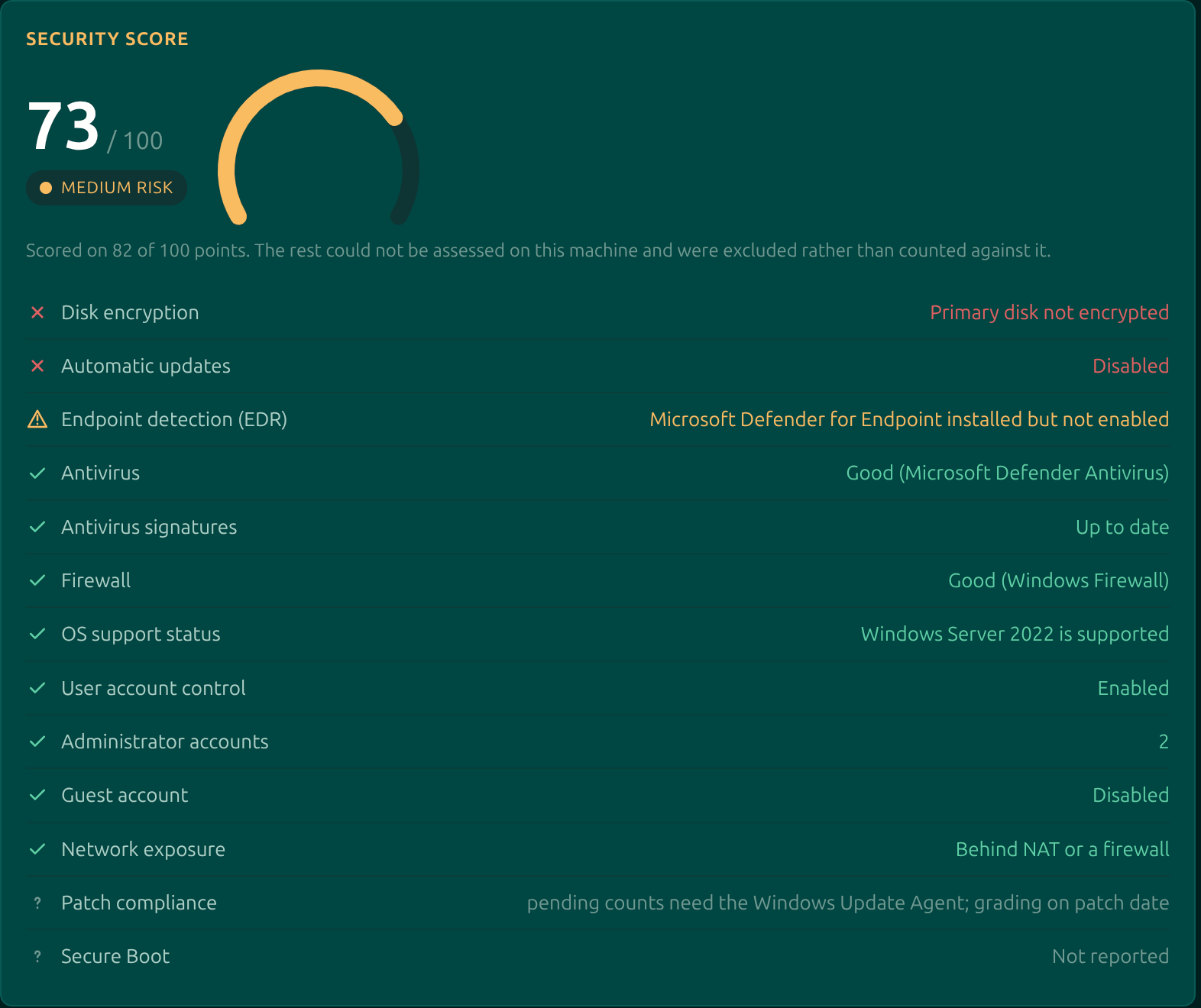
Patches that wait until they are safe
A policy names a weekly window, evaluated in each machine’s own timezone, and how long an update must have been out before it is allowed on. That wait is counted from the day the machine first saw the update, not from a vendor’s release date, so a bad patch pulled in its first week never reaches your fleet.
Read the docs: patching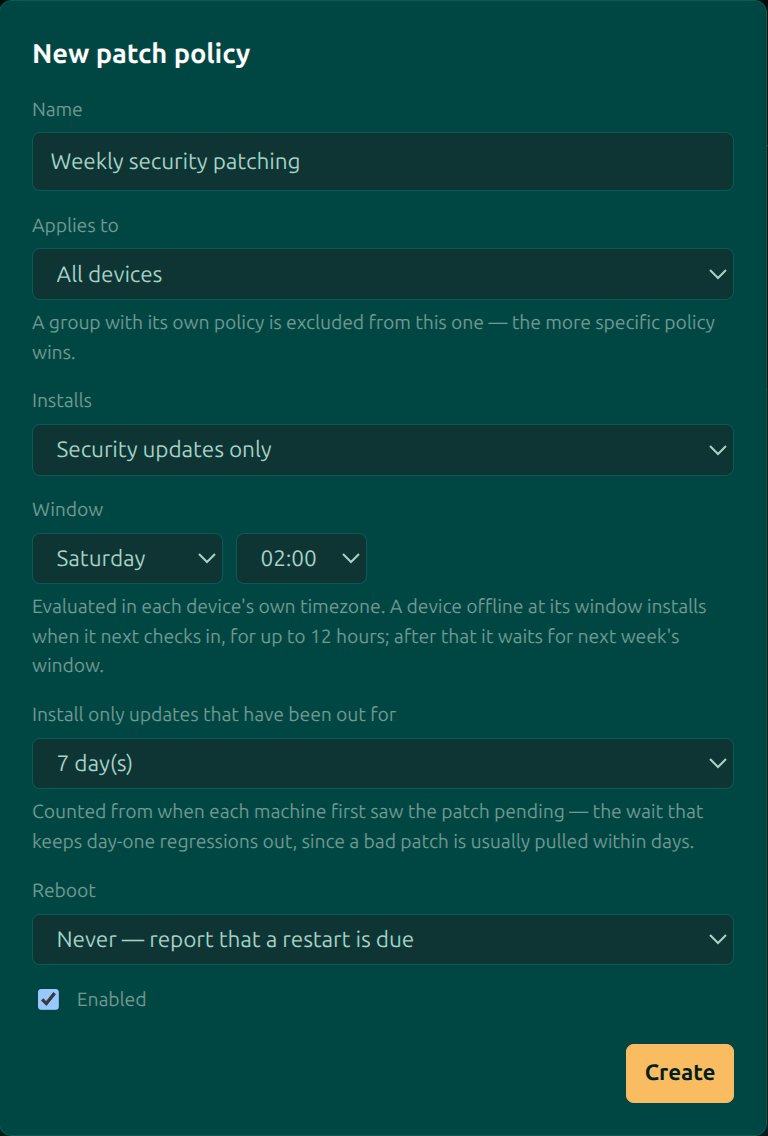
Alerts you tune once, then trust
Thresholds for CPU, memory, disk, time offline and Windows crashes, set once for the whole organisation. CPU and memory only alert when the level holds for the window you chose, the email switches say which types are worth a message, and routing rules decide which person gets it.
Read the docs: alerts and settings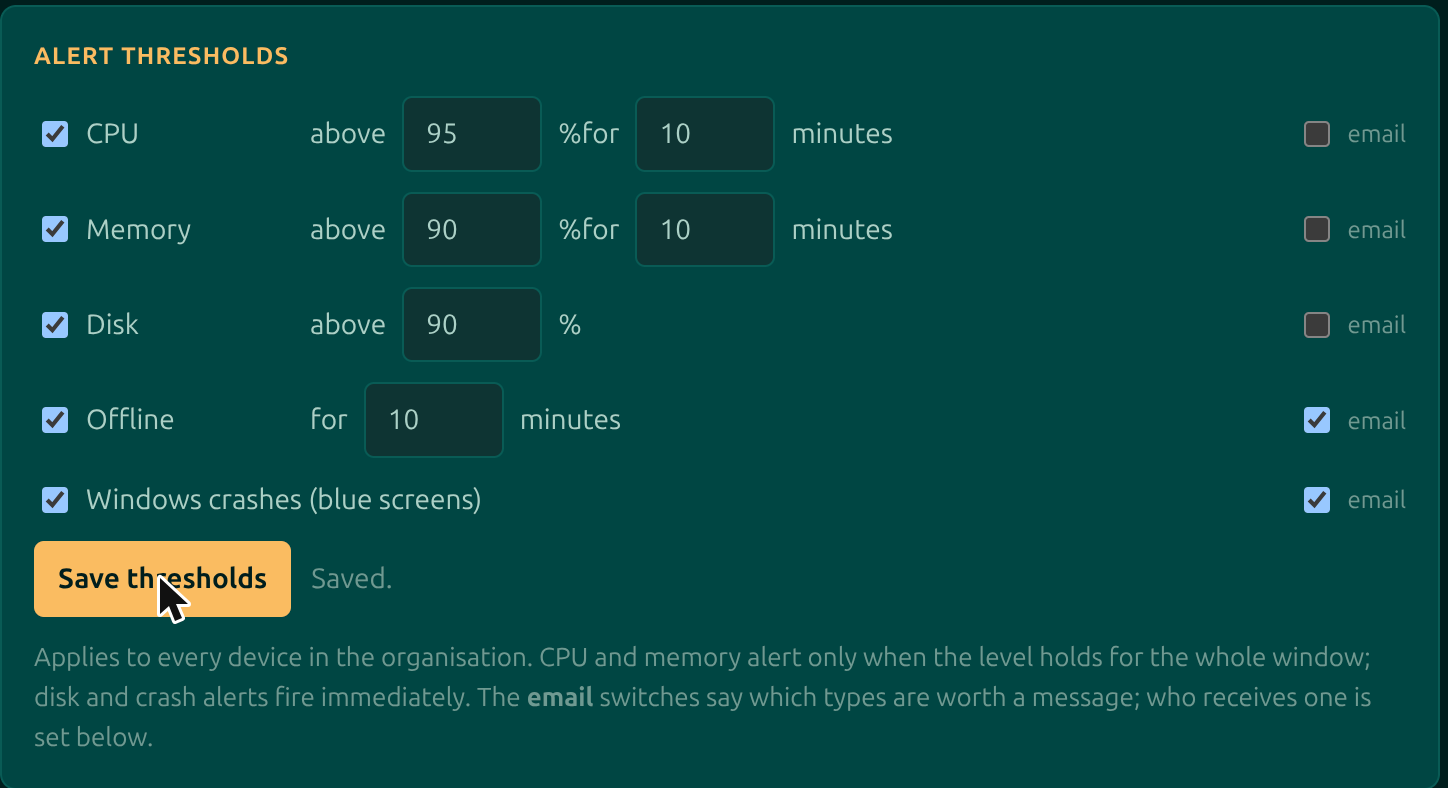
Contain an infected machine in one click
When a machine looks compromised, Isolate network in its Actions menu cuts it off the local network and the internet: no shares, no other PCs, no calling home. The Moorfox agent stays connected, so you can still remote in, open a terminal and pull files while you work out what happened. Offline machines are isolated the moment they check in, and a watchdog lifts it on its own if the agent ever loses its way back.
Read the docs: network isolation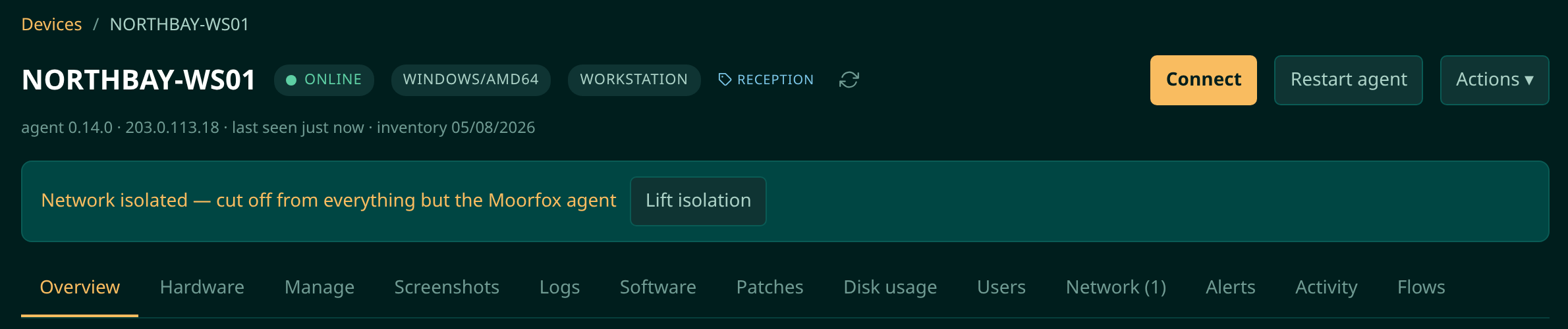
Flows, for the day you hope never comes
Saved commands chain into flows. This one runs the moment a laptop reported stolen next checks in: clear the mail cache, remove company directories, wipe the home folders. Destructive steps demand the device’s name typed back before they will run at all.
Read the docs: commands and flows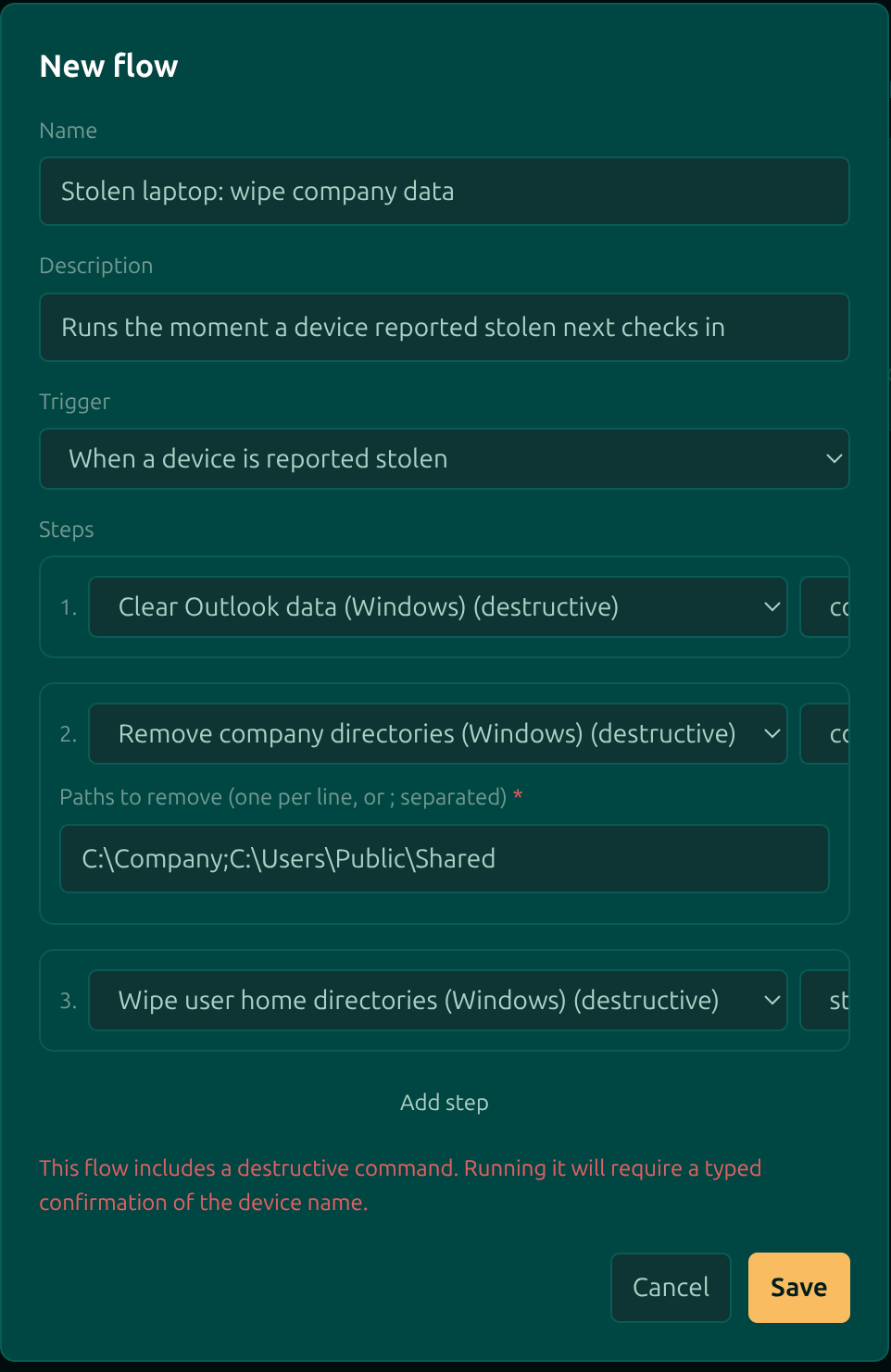
An activity trail nobody can quietly edit
Every sign-in, remote session, script run and settings change, recorded with who, when and how long. The log is append-only: entries cannot be edited or removed, by anyone, which is the only kind of audit trail worth keeping.
Read the docs: the activity log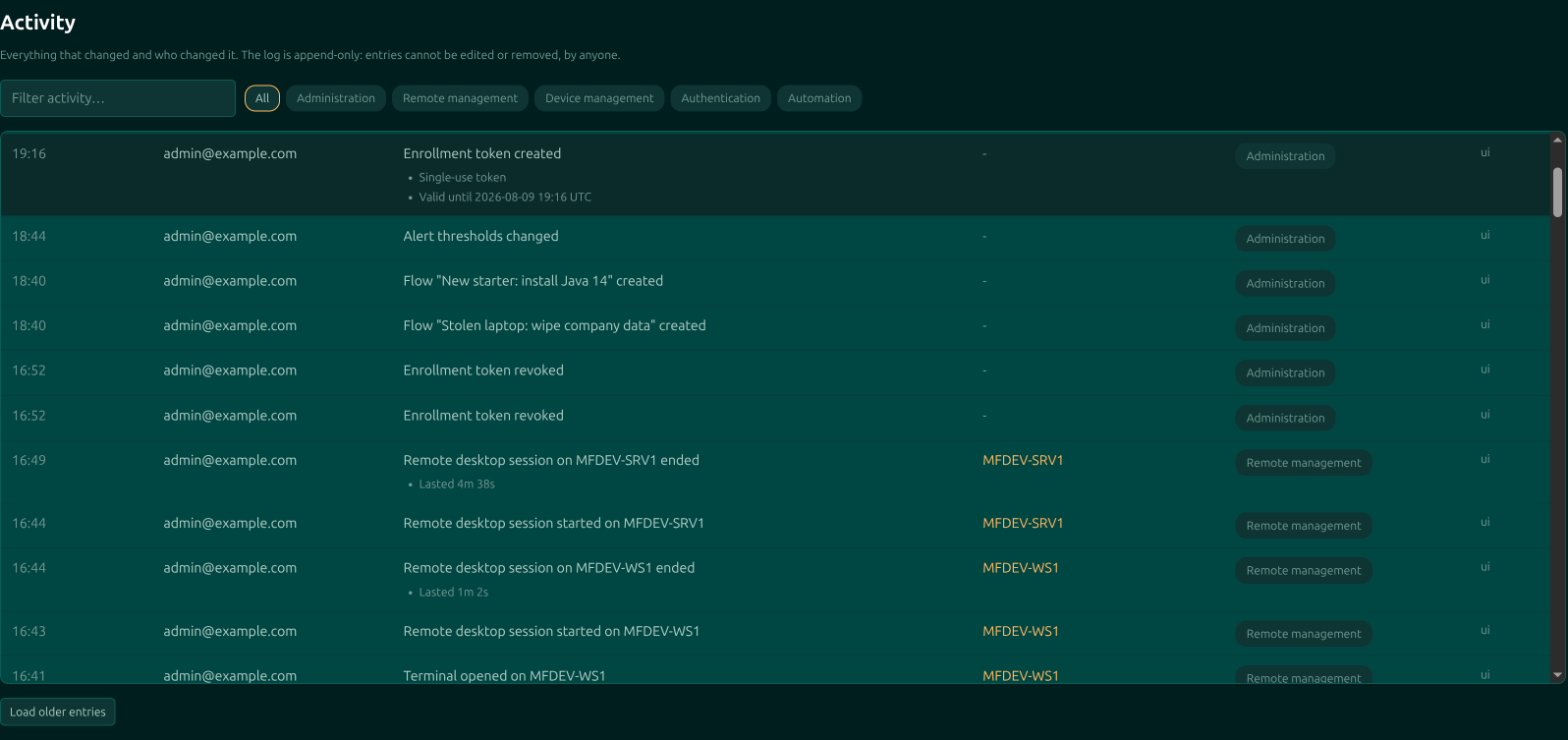
What is filling that disk, without remoting in
A disk alert names the machine. The Disk usage tab names the folder: a size-sorted tree, a breakdown by file type, the largest files and a treemap, the way WinDirStat draws one. The scan runs at background priority on the remote machine, so the person using it never notices, and the report stays in the dashboard after the machine goes offline.
Read the docs: disk usage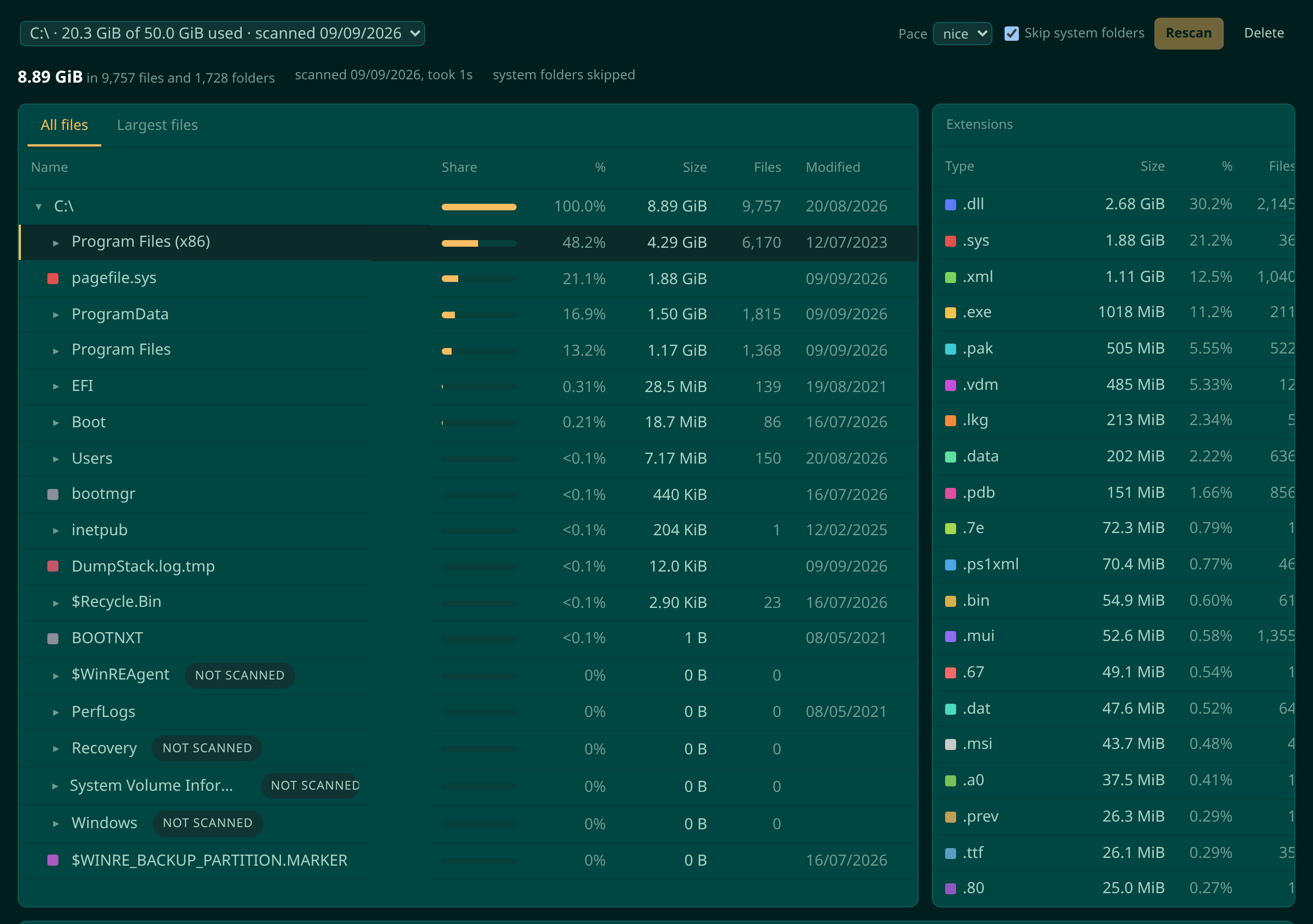
Permissions per person, and guests who see three PCs
Admin, technician and guest are starting points, not cages. Tick Add devices for the field tech who images machines without handing them billing. Give a customer’s office manager a guest account that can remote into their own PCs and cannot see that the rest of your estate exists. The server checks every request, not just the menu.
Read the docs: users and permissions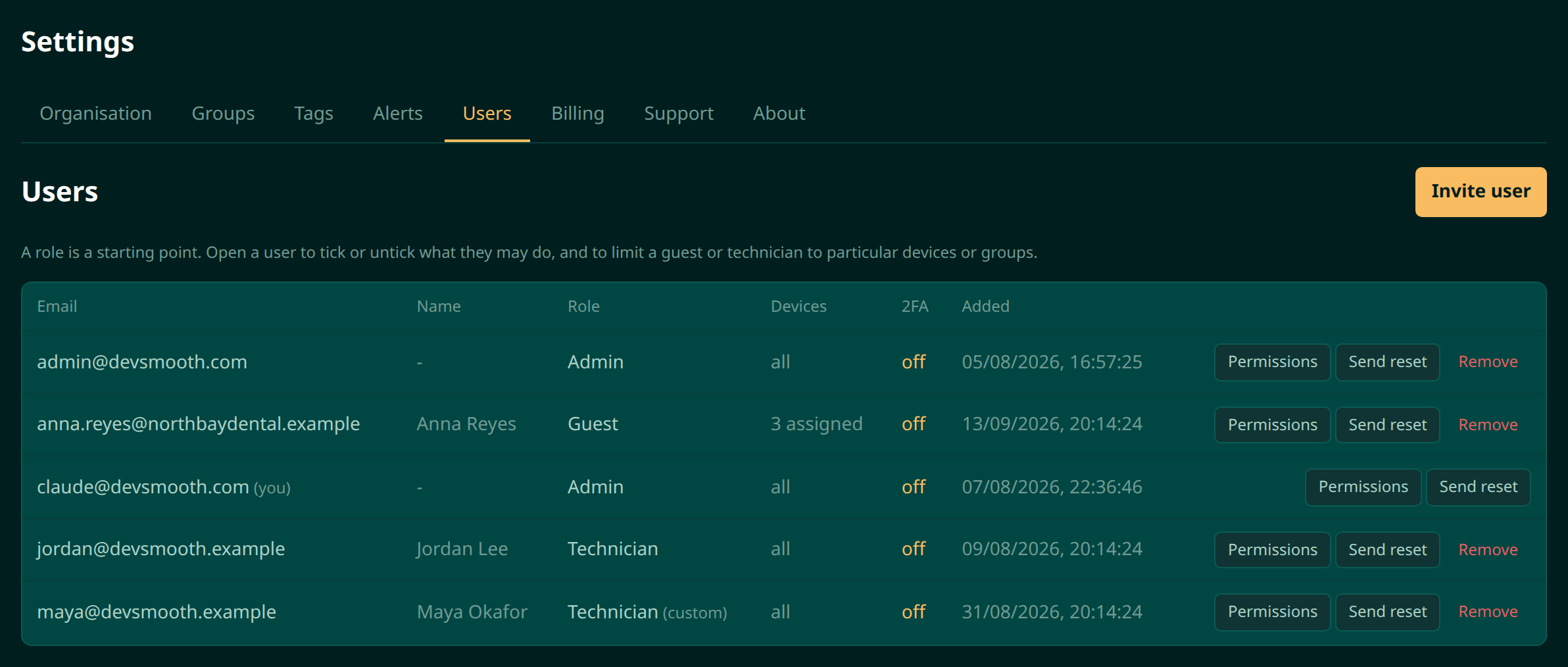
Your name on the desktop, not ours
Managed Windows machines carry a small widget with the machine name, its address, Managed by your company and your support number. Set the colours with a live preview, give each customer group its own help desk contact, and hide the widget on a group of servers or a single device. The banner that tells someone their screen is being viewed follows the same branding.
Read the docs: desktop widget and branding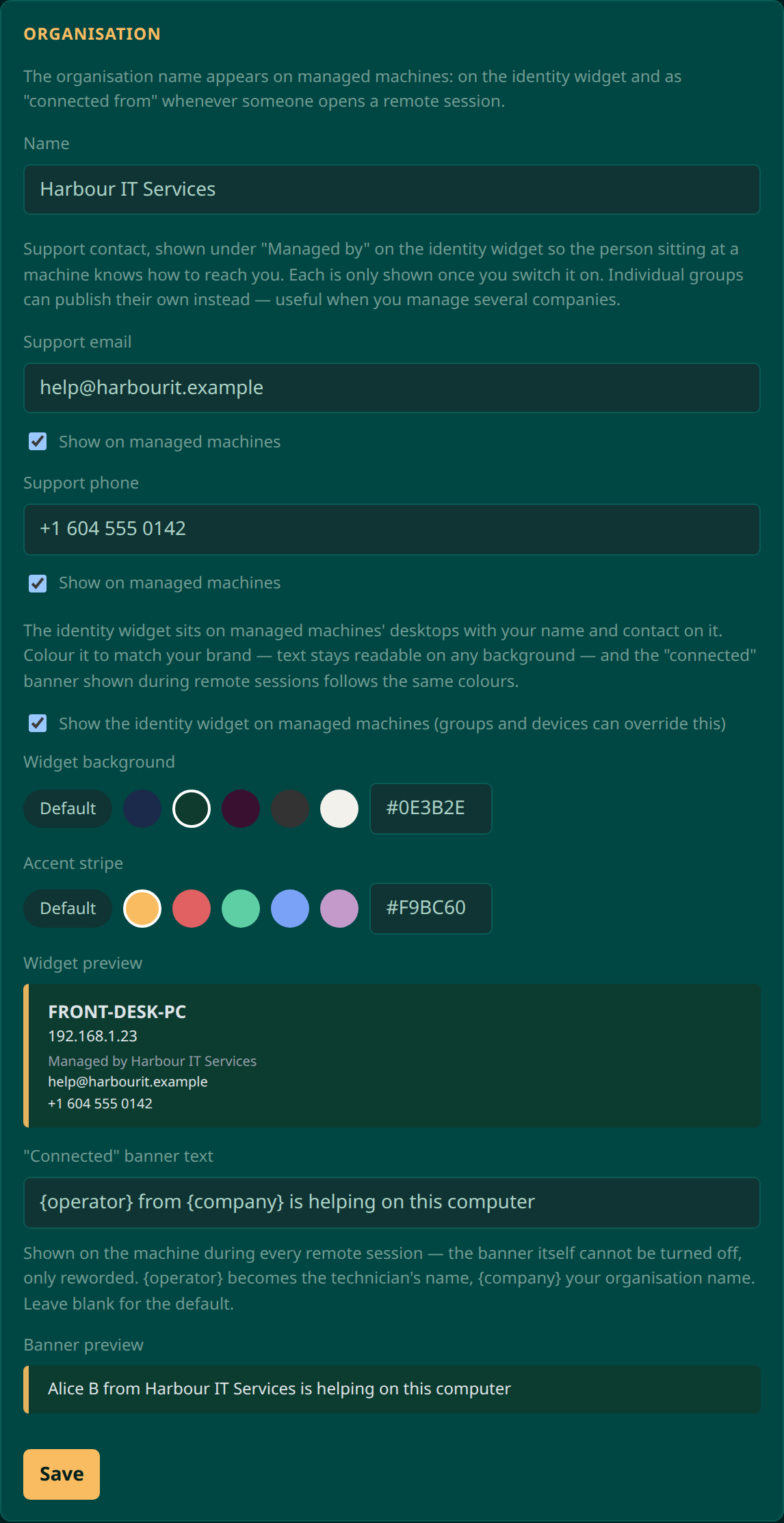
How it works
Three steps, and the machine appears in your dashboard within a minute.
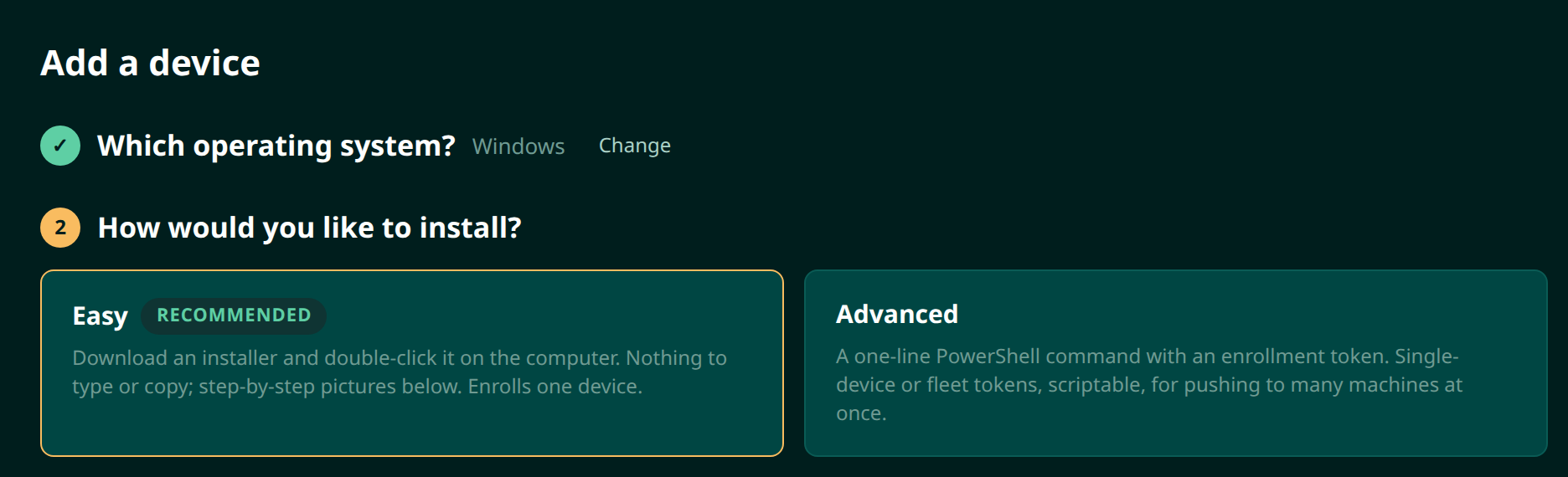
Pick Windows or Linux
The wizard asks what you are enrolling first, then shows only what that platform needs.
Send an installer, or one line
Easy downloads an installer with the enrolment code already inside it, to double-click on the machine. Advanced gives you the PowerShell or shell one-liner, with a fleet token when you are moving a whole estate at once.
Manage it from anywhere
The device appears online with its inventory, in the group you file it under. Open a remote desktop session or a terminal straight from the dashboard.
Moorfox QuickSupport.
For the machines you don’t manage: a one-off download, a nine-digit code read over the phone, and their explicit permission before you see a thing.
A code, not an install
Send anyone your team’s support link. They run one small program, nothing installs, and it shows a nine-digit code that only your team can connect to. They read it out, you type it in, they click Allow, and their screen is in front of you. Close the window and it is over, with nothing left behind.
See how it connects, step by step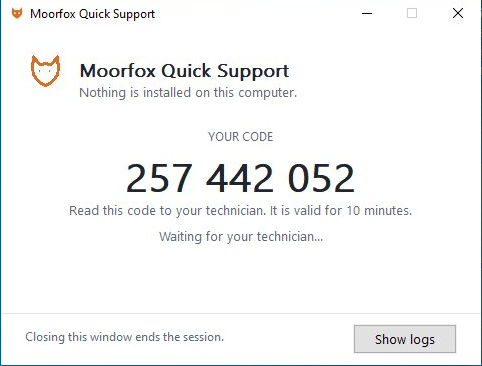
See how it compares.
Honest side-by-sides with the tools you might pick instead, our gaps included. We would rather you choose right than choose us.
Ten devices free. Then two dollars.
- No tiers, no contracts, no minimums, no sales call.
- The free tier is the whole product, not a trial with the good parts removed.
Bring your fleet in from the moor.
Sign up, install one agent, and your first machine is on the screen in a couple of minutes. Ten devices are free forever, so there is nothing to decide yet.
Start free