 Moorfox
Bitdefender EDR, device by device
EDR is an add-on, not a plan. It is switched on one device at a time, so a fleet where only the servers need it pays for the servers. It costs $4 per device per calendar month, from the first device, and needs a payment method on the account.
The sensor is installed by the agent you already have, and it runs beside Microsoft Defender rather than replacing it. Defender stays the antivirus, and Moorfox carries on managing it for free on every machine, EDR or not.
What the add-on is
Bitdefender endpoint detection and response, resold by Moorfox and deployed by the Moorfox agent. Where antivirus matches a file against known signatures, EDR records what the machine actually did and reacts to the behaviour, which is also what lets you reconstruct an incident afterwards. The glossary entry is the longer version of that distinction.
Each Moorfox account gets its own company inside Bitdefender GravityZone, with a policy copied from the Moorfox default. Your machines are never mixed in with another customer's, and the console side of it is ours to run, so there is no second product to buy, log in to or learn.
EDR does not turn Microsoft Defender off. The two run together: Defender as the antivirus, Bitdefender as detection and response. Moorfox manages Defender for free on every machine, which is the security score guide.
What it costs
$4 per device, per calendar month. Three rules worth knowing before you switch it on, all of which come from how Bitdefender licenses it to us:
- It is charged from the first device. The 10 free devices on the Moorfox plan do not extend to the add-on, because a protected endpoint costs us money the moment it registers.
- A device switched on part way through a month bills that whole month, however late in it you are.
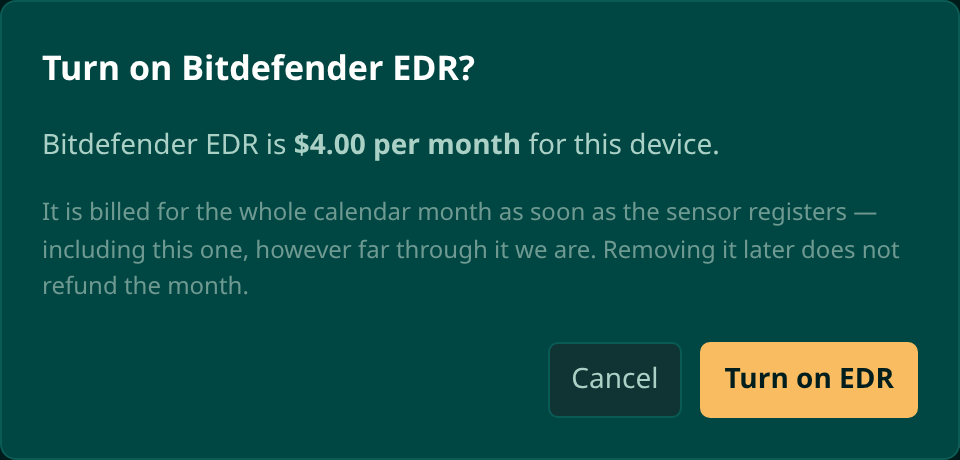
- Removing it does not refund the month. The seat frees on the 1st.
The pricing page has it beside everything else. In the dashboard, Settings then Billing shows this month as it stands: the EDR seats counted so far, what they come to, and the running estimate for the whole account. The invoice is never the first time you see the number.
Before you start
| Requirement | Why |
|---|---|
| A payment method on the account | Every protected endpoint is an immediate cost to us, so the add-on cannot be switched on from the free tier. The button says which door to walk through, and links to billing. |
| Agent 0.13.0 or newer | That release first carried the EDR package. An older agent shows needs agent 0.13.0 in place of a button that would quietly do nothing. Update it from the device's Overview tab. |
| Windows or Linux | Both are supported, and the sensor is installed the same way on each. |
| The billing permission | Switching EDR on takes on a monthly charge, so it sits with billing rather than with device management. A technician without it sees the card and its status, but no buttons. |
Turning it on for a device
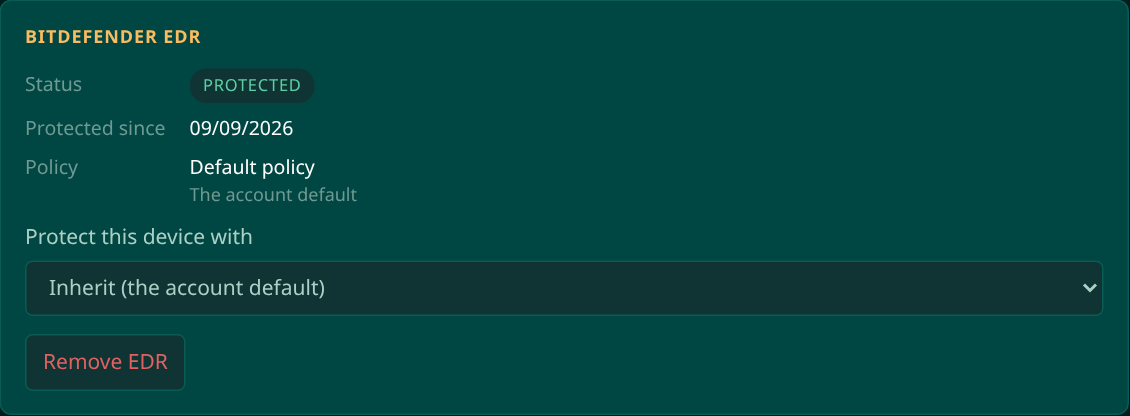
The choice lives where the machine is, not in a separate console. Open the device, and on the Overview tab the Bitdefender EDR card sits next to the Microsoft Defender one.
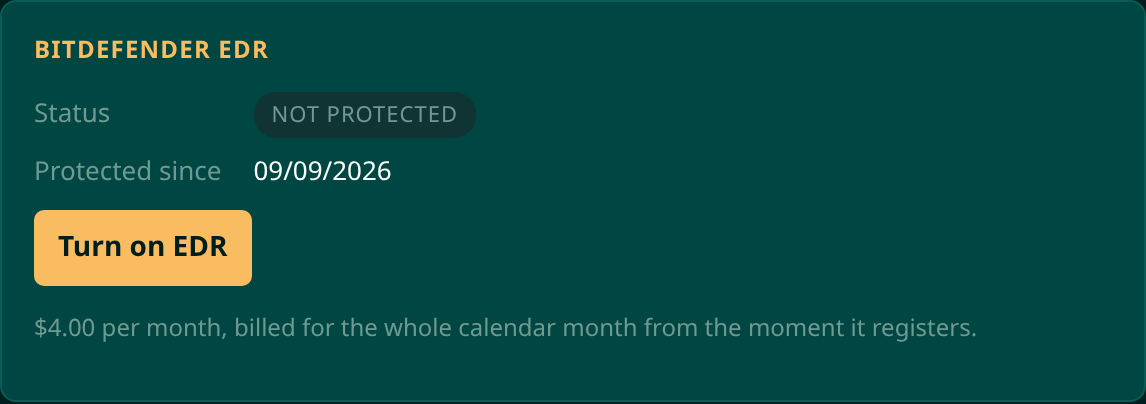
The confirmation says what you are agreeing to, in the words that cost money: the month is billed in full from the moment the sensor registers, and removing it later does not refund it.
Then the card moves through three states on its own:
| State | What it means |
|---|---|
| Installing | The agent is downloading and installing the Bitdefender sensor. It is normal for this to take several minutes, and it continues without the page open. |
| Protected | Bitdefender has confirmed the licence and the endpoint is reporting. The card shows the date protection started. |
| Needs attention | The install or the registration failed, with the reason on the card. Nothing is billed twice for retrying. |
A machine that is offline when you switch EDR on is not a problem: the install is queued and runs when the agent next connects. It waits a day, so an overnight machine or a laptop on its way home is covered, and a decision nobody remembers making does not fire next month.
The Bitdefender page
Bitdefender in the sidebar is the fleet view of the add-on, and it has three tabs because it answers three different questions: who is protected, how they are protected, and what has been caught.
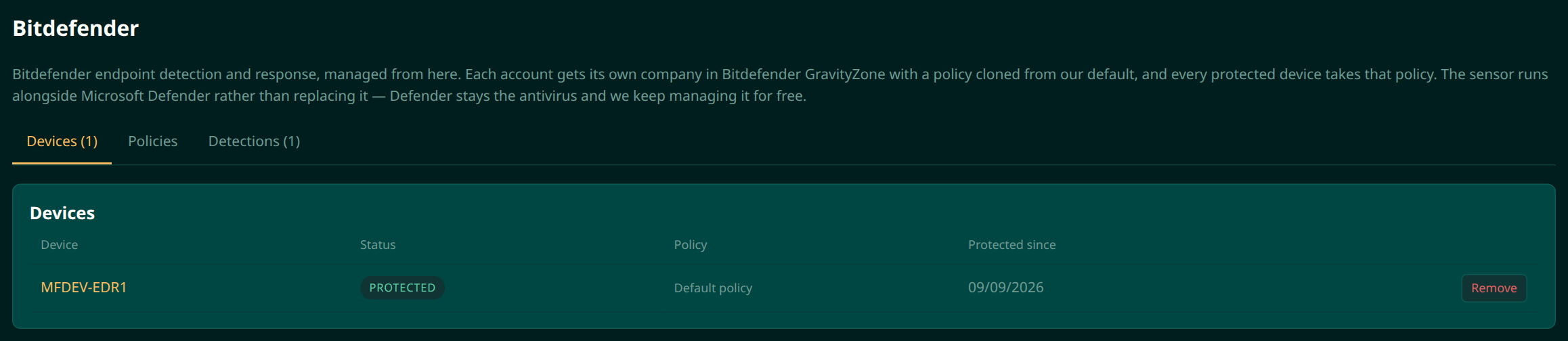
Devices lists each protected machine with its status, the policy it is on, and when protection started. It is also the quickest place to take the add-on off several machines.
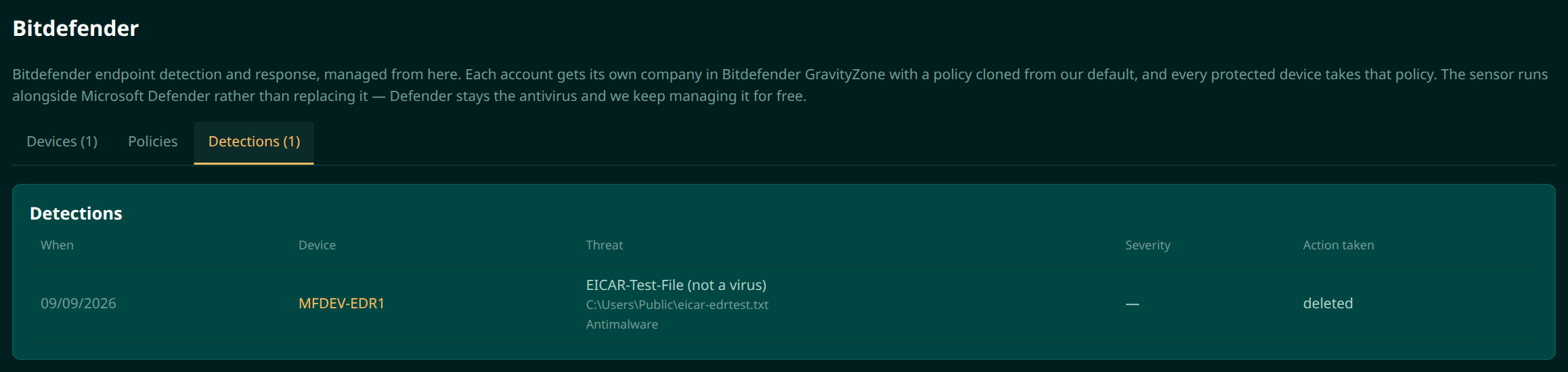
Detections is what Bitdefender has caught: when, on which machine, the threat, its severity and what was done about it. Detections are pushed to Moorfox as they happen, with a poll behind the push so an outage delays them rather than losing them. They also appear in the device's own activity, so the machine's history reads in one place.
Policies
Every protected machine takes your company's default policy, copied from the Moorfox default when your company was created. That is a working configuration, so there is nothing you must do here.
When you do want something different, the Policies tab is where it happens. It lists every policy on the account with the number of machines on it, and Apply is how you choose the machines and groups it covers. The default itself is read-only on purpose: editing it in place would silently change every machine that has no other choice, so Edit on the default makes you a copy to change instead. A single machine can also be pointed at a policy from its own EDR card.
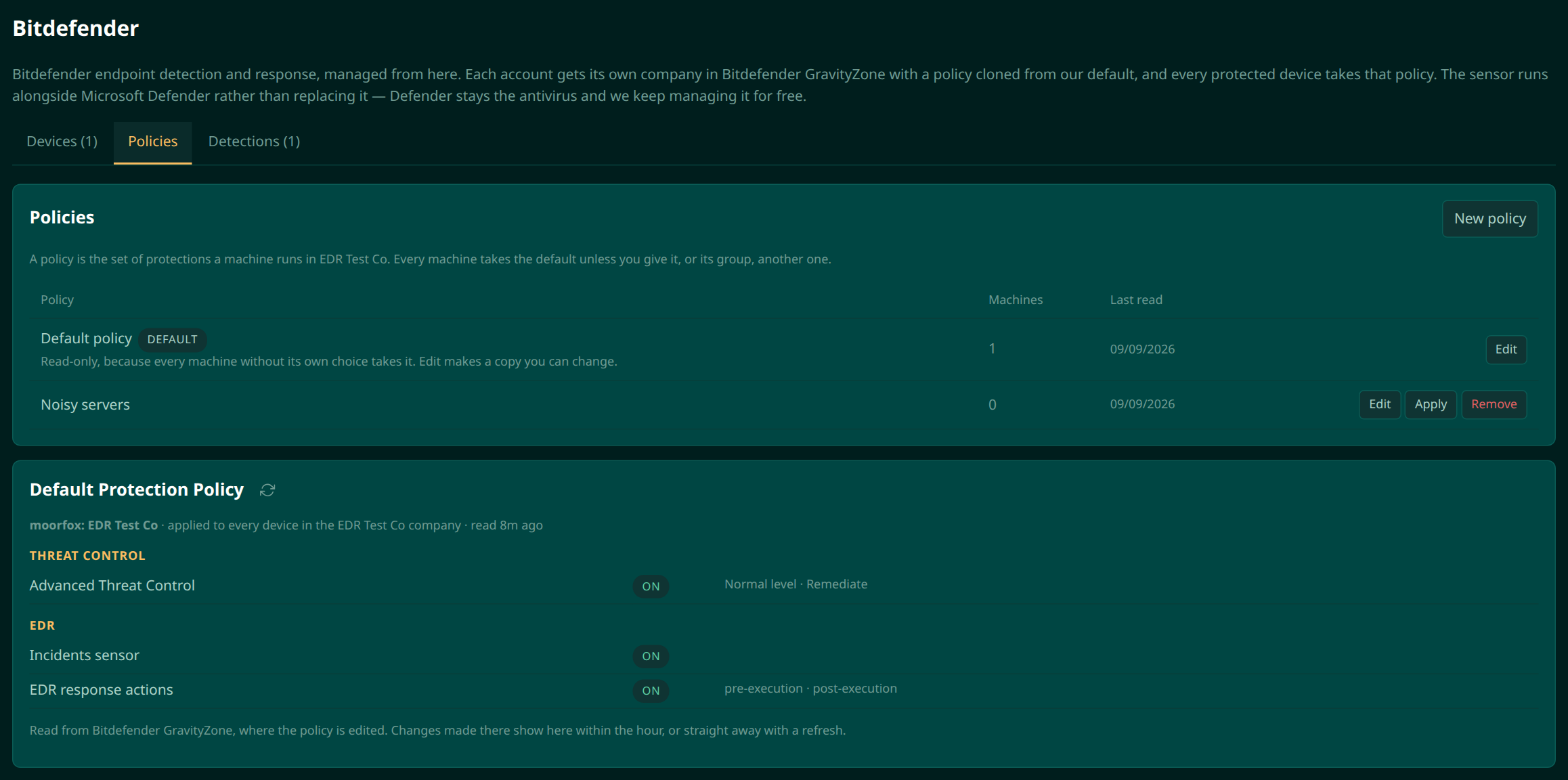
Only protected machines can be moved between policies. A policy is assigned to the endpoint inside GravityZone, and that endpoint does not exist until the sensor has registered.
Turning it off
Remove EDR, on the device card or from the Devices tab, uninstalls the sensor and releases the licence. The current month is still billed, because Bitdefender charges us for any endpoint licensed at any point in it, and the seat frees on the 1st. Defender carries on as it was.
Removing a device from Moorfox altogether, or closing the account, releases its EDR licence the same way.
Moorfox is remote monitoring and management without the enterprise tax.
One agent, one dashboard, remote desktop and a real terminal on every machine you look after.