 Moorfox
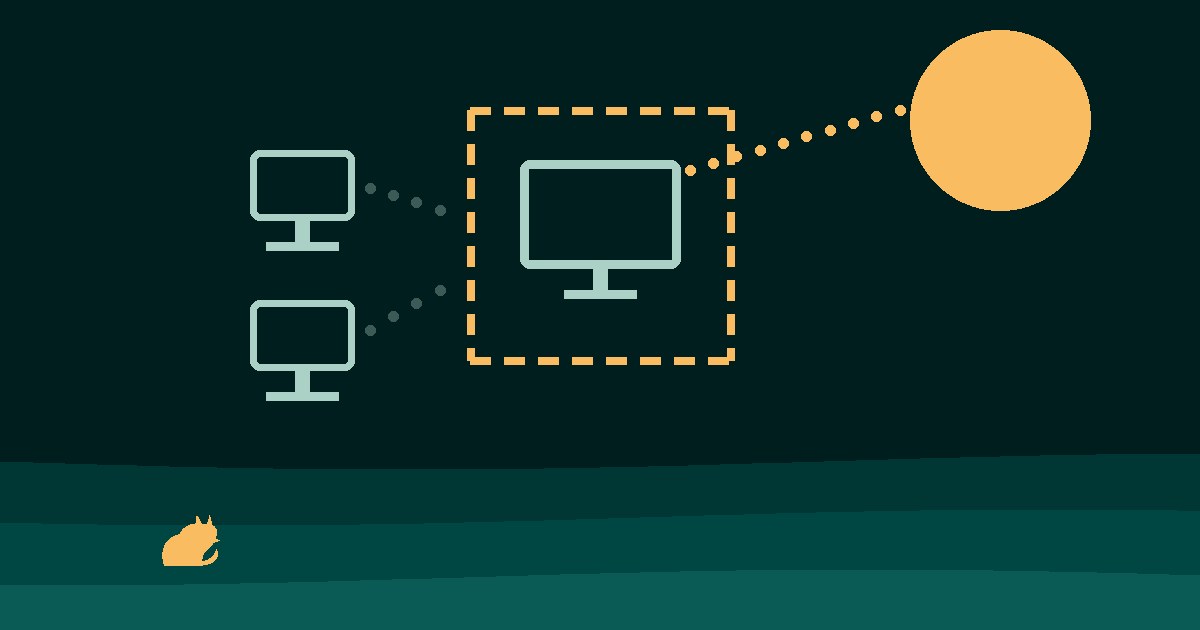
How do I isolate a computer I think is infected?
Cut the machine off the network but leave it switched on. Either disable its switch port and Wi-Fi, which also cuts your RMM, or use Windows Firewall to block everything except your management agent and DNS: add the allow rules first, then netsh advfirewall set allprofiles firewallpolicy blockinboundalways,blockoutbound.
Then, from a different machine, disable the user in Active Directory, revoke their Entra sessions and reset the password. Check file servers for sessions from the machine's IP, export the event logs, and do not wipe, reimage or run a full scan until you know how it got in.
The call comes in one of a few ways: a ransom note on the screen, a remote tool the client never installed, a Defender alert, a payment the bank flagged. The machine is probably compromised. For the next hour, stop it reaching anything else while keeping it running and keeping your own way in; fixing it comes later.
This post is that hour: the commands, the order, and a checklist at the end to work down. The investigation that comes after is in How do I check if a Windows PC has been hacked?.
What does containing an infected computer mean?
Containment means the machine can no longer talk to the file server, the other PCs, the internet or whoever is controlling it. It keeps running, and you can still reach it.
It is not cleaning and it is not rebuilding. Those come later, once you know how the attacker got in, because a machine rebuilt without knowing that goes the same way again.
The order is contain, preserve, investigate, then clean or reimage. Swap any two and you either let it spread or destroy the evidence. Wipe first and the running processes and live connections that showed how it happened are gone. Investigate while it is still on the network and the ransomware keeps working on the share while you read logs.
What should I do in the first five minutes?
- Write down the time you were told and by whom, and start a log. Every action from here gets a time next to it.
- Ask the user what they saw and what they clicked. Then tell them not to touch the machine, not to turn it off and not to try to fix it.
- Record the machine's name, IP address and MAC address (
ipconfig /all), and who was signed in. - Photograph any ransom note or strange screen with a phone.
- Cut the network, as below.
How do I cut it off the network without losing my own access?
The simplest containment is physical: pull the cable, or disable the port on the switch, and turn off Wi-Fi. Disabling the switch port beats disabling the adapter inside Windows, because whoever controls the machine can turn an adapter back on. The catch is that pulling the cable also cuts your RMM agent, so from then on everything you want to do on that machine needs someone standing at it.
The alternative is to isolate it with Windows Firewall: block everything, then allow only your management tool. Order matters here. Add the allow rules first and switch the default to block last, or the last command cuts the connection you typed it over.
netsh advfirewall set allprofiles state on
netsh advfirewall firewall add rule name="IR keep RMM" dir=out action=allow program="C:\Program Files\YourRMM\agent.exe"
netsh advfirewall firewall add rule name="IR keep DNS" dir=out action=allow protocol=UDP remoteport=53
netsh advfirewall set allprofiles firewallpolicy blockinboundalways,blockoutbound
Replace the program path with your own agent's executable. DNS needs a rule of its own because Windows resolves names in the DNS Client service inside svchost, not in your agent's process, so a program rule for the agent does not cover it. Rehearse the sequence on a lab machine before you need it: with a wrong path in the allow rule, the last command locks you out.
To undo it later:
netsh advfirewall set allprofiles firewallpolicy blockinbound,allowoutbound
netsh advfirewall firewall delete rule name="IR keep RMM"
netsh advfirewall firewall delete rule name="IR keep DNS"
Allow rules already on the machine keep working after the default flips to block. On a domain network that often means inbound File and Printer Sharing or Remote Desktop rules, and some applications install outbound allow rules of their own. That is why the command above uses blockinboundalways rather than blockinbound: it blocks inbound traffic even where an allow rule exists, while replies to connections the machine opened itself, your agent's included, still come back. Outbound has no equivalent switch, so list the rules that would still let traffic out and disable the ones you do not need:
Get-NetFirewallRule -Direction Outbound -Action Allow -Enabled TrueFirewall isolation has two more limits. A local administrator on that machine, including an attacker who has admin, can undo the rules. And new rules block new connections; a connection that was already open when they went on can carry on. So once it is isolated, look at what is running and end suspicious processes and remote sessions, or restart the machine once you have captured what you need.
Finally, block the machine's IP address at the perimeter firewall, along with any unfamiliar remote addresses you saw in netstat -abno.
Should I shut the computer down?
Not by default. Memory holds evidence that a shutdown throws away: running processes, network connections, and sometimes the attacker's tools, which may only ever have existed in memory. A shutdown also hands whatever persistence the attacker set up a clean start on the next boot.
The exception is data being destroyed right now, for example ransomware visibly encrypting a file share. Then stopping the damage matters more than the evidence: pull the power rather than shutting down cleanly, and accept the loss.
If the disk is encrypted with BitLocker and the machine does go off, whoever images the disk later needs the recovery key. Find it now, not when the machine is on the bench.
Which accounts do I lock, and from where?
Assume the attacker has the credentials of whoever was signed in. Do all of this from a different, clean machine, never from the suspect one, because anything typed there may be captured.
- Disable the Active Directory account:
Disable-ADAccount -Identity jsmith. - In Microsoft Entra, block sign-in and revoke the user's sessions, so existing tokens stop working and not just the password. Either Revoke sessions on the user in the Entra admin center, or
Revoke-MgUserSignInSession -UserId jsmith@example.comin Microsoft Graph PowerShell. - Reset the password, and check the MFA methods for any the user did not register.
- If a domain admin or any other admin account was used on the machine recently, treat it as compromised and reset it too.
- Check the mailbox for inbox rules that forward or delete mail.
How do I check whether it has already spread?
The machine talked to other things before you cut it off. Find out which.
- File servers.
Get-SmbSessionlists open file-share sessions with the client address; look for the suspect machine's IP.Get-SmbOpenFileshows which files it has open, andClose-SmbSessionends a session. - Server security logs. Event ID 4624 with logon type 3 (network) or 10 (RDP) from the suspect machine's address.
- Other machines the same user signs in to.
- Shares. Recently modified files, and file names or extensions you do not recognise, which is how encryption on a share shows up.
- Backups. Confirm they are intact and out of reach of the compromised account, before you need them.
What evidence should I keep before cleaning up?
Do not wipe, reimage or run a cleanup tool before you have looked. A full antivirus scan deletes exactly the files you need to see.
- If you have the tools and the skills, capture memory first. Magnet RAM Capture and WinPmem are both free. Write the capture to an external drive, not the suspect disk.
- Export the event logs to external media:
wevtutil epl Security E:\IR\Security.evtx, and the same for System and Application. - Save the output of
netstat -abno,tasklist /v,Get-ScheduledTaskandGet-LocalUserto a file, with the time. - Keep the incident log going: times, actions, who did them.
Tell the client's decision maker early, and their cyber insurer if they have cover. Insurers often have approved incident-response vendors and conditions about what you may do before those vendors arrive, and doing the wrong thing first can affect the claim. If the client has no written plan for any of this, the incident response plan template is one page.
The containment checklist
Copy this into the ticket and tick it off as you go.
Right now
- Note the time, who reported it and what they saw; start an incident log
- Tell the user not to touch, restart or turn off the machine
- Record hostname, IP, MAC and the signed-in user
- Photograph any ransom note or strange screen
Cut it off
- Isolate it: firewall isolation that keeps your RMM, or pull the cable, disable the switch port and turn off Wi-Fi
- Check for allow rules already on the machine that would still let traffic through
- Block its IP at the perimeter firewall
- End suspicious processes and remote sessions; isolation does not stop connections already open
- Leave it powered on unless data is actively being destroyed
Accounts, from a clean machine
- Disable the user in Active Directory
- Block sign-in and revoke sessions in Entra
- Reset the password and check MFA methods
- Reset any admin account used on the machine
- Check the mailbox for forwarding and delete rules
Check the spread
- Open file-share sessions and files from its IP on each file server
- 4624 logons from its IP on servers
- Other machines the user signs in to
- Recently changed or renamed files on shares
- Backups intact and out of reach
Preserve
- Memory capture to external media, if you have the skills
- Export Security, System and Application logs
- Save netstat, tasklist, scheduled task and local user output
- No wipe, reimage or full scan yet
- BitLocker recovery key located
Tell people
- Client decision maker
- Cyber insurer, if there is cover, before bringing in outside help
How does Moorfox isolate a machine in one click?
Moorfox's network isolation does the same job as the firewall recipe above: block by default, keep the agent's own allow rules, and put those on before the block. On the device page, open Actions and choose Isolate network..., then type the device name back to confirm. That confirmation is the only extra step.
Isolation cuts the machine off the LAN and the internet by default and keeps the Moorfox agent connected, so remote desktop (falling back to the relay), the terminal, file explorer, processes, services and saved commands all still work on the contained machine. DNS and DHCP stay open by design, so the machine keeps its address and can still find Moorfox. On Windows it sets the firewall default to block in and out, and allow rules already on the machine still apply; the network isolation guide has the details.
- Who can press it. Admins. The default technician role cannot; an admin grants the Network isolation permission to the techs who should have it.
- Offline machines. The isolation is saved and applied the moment the machine next checks in.
- Connections already open. Isolation blocks new ones, so end suspicious processes and sessions from the Manage tab, or restart the machine. Isolation is put back as it starts, so a restart does not undo it.
- The safety net. If an isolated machine loses contact with Moorfox, the agent first re-applies its own allow rules. If it still cannot reach Moorfox after six hours, it lifts the isolation itself and the dashboard says so, so a broken rule cannot strand a machine you have no other way into.
- Platforms. Windows (Windows Firewall rules) and Linux (nftables). On Windows a local administrator on that machine can undo firewall rules, the same limit as doing it by hand.
- Lifting it. The device list shows an isolated pill. Choose Lift network isolation from Actions, or Lift isolation in the banner on the device page. Every isolate and lift goes into the activity log with who did it.
Frequently asked questions
Should I unplug an infected computer or turn it off?
Unplug it from the network, but leave it on. Turning it off destroys what is in memory. The exception is data being actively destroyed, such as a share being encrypted right now.
Does disabling the network adapter in Windows isolate the machine?
Not reliably. Whoever controls the machine can turn it back on. Disable the switch port, or use firewall isolation that you control.
Can I still work on an isolated machine remotely?
Only if the isolation leaves your remote tool an allow rule. Pulling the cable cuts your access too; firewall isolation done in the right order keeps it.
Does isolating a machine stop an attacker who is already connected?
Not by itself. Firewall rules stop new connections; a session already open can carry on. End the suspicious processes and sessions, or restart after capturing what you need.
When can I reconnect it?
After you know how it was compromised, the entry point is closed, credentials are reset, and the machine is cleaned or, more often, reimaged.
Should I run a full antivirus scan straight away?
Not before you have captured evidence, because the scan removes the files you need to look at.