 Moorfox
Send a password as a one-time link
Use the Secrets page to send a password, a Wi-Fi key or any short note as a link instead of an email or a chat message. The person you send it to presses Reveal and sees it. After the number of views you allowed (one, unless you choose two or three) the secret is deleted and the link stops working. A link nobody opens expires on its own, after 30 minutes unless you pick longer.
The secret is encrypted in your browser before it leaves your machine, and the key is part of the link. Moorfox stores only the encrypted copy, so neither Moorfox nor anyone who gets hold of its database can read it. Add a passphrase and read it out over the phone, and a link that ends up in the wrong inbox is useless on its own.
Create a secret link
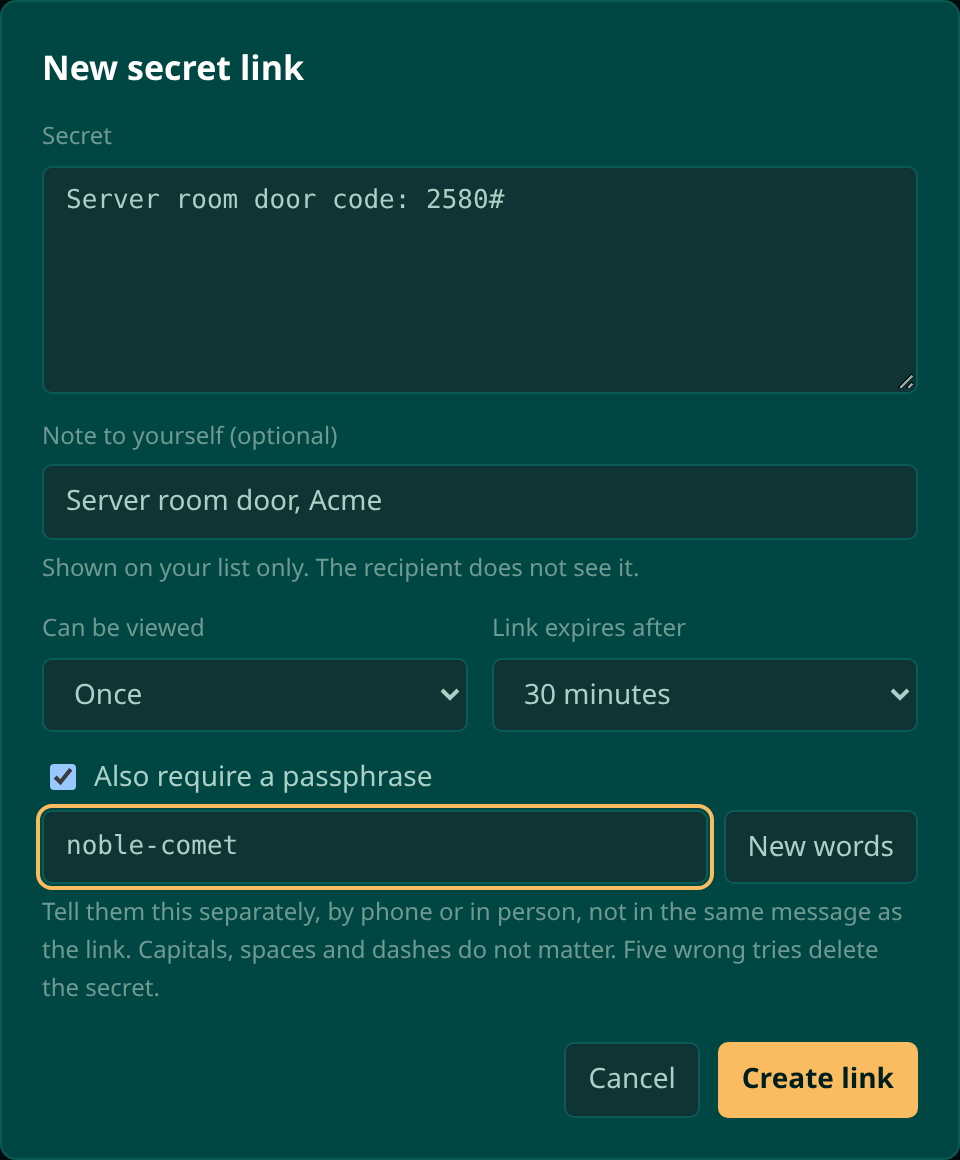
- Open Secrets in the left menu, under Manage, and press New secret link.
- Type or paste the secret. It can be up to 16 KB: a password, a recovery key, a few lines of notes.
- Add a note to yourself if you like, such as Wi-Fi for Acme front desk. It appears on your list only. The person you send the link to never sees it.
- Choose how many times it can be viewed (once, twice or three times) and when the link expires: 30 minutes, 1 hour, 1 day, 7 days or 30 days.
- Optionally tick Also require a passphrase. Moorfox fills in two easy words such as
noble-comet; press New words for another pair, or type your own. - Press Create link.
Send it
The next screen shows the link and, if you set one, the passphrase, each with a copy button. Send the link by email, chat or text. Give the passphrase some other way: read it out on the phone, or say it in person. Sending both in the same message defeats the point of having two.
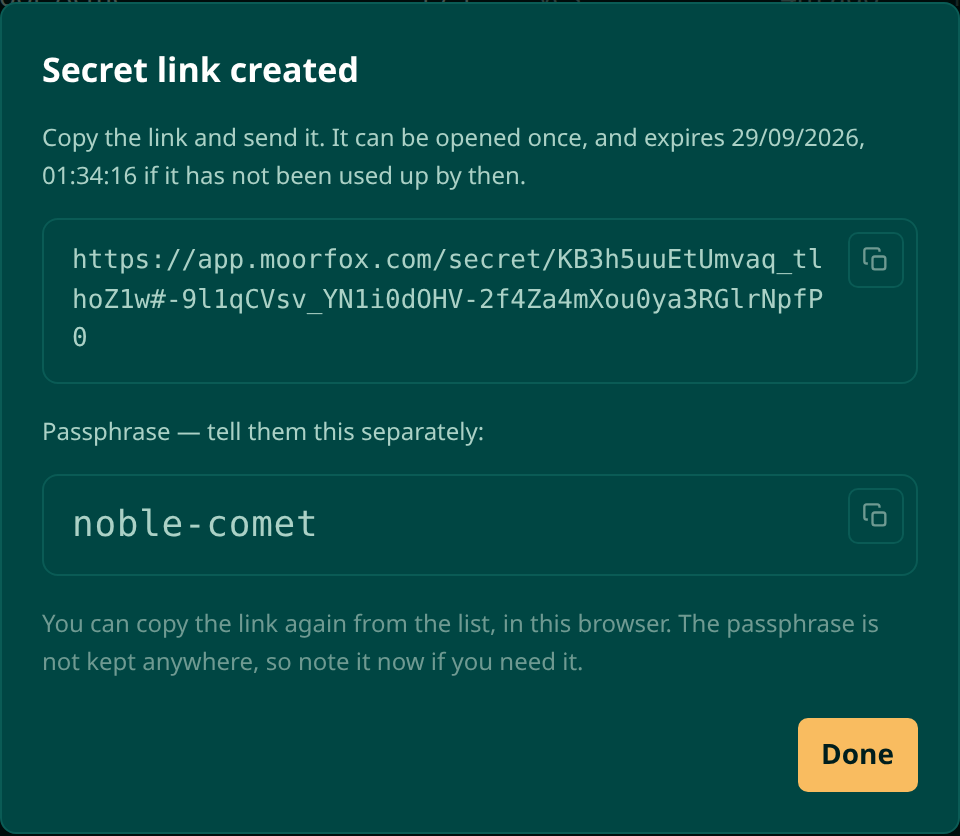
Moorfox cannot show you the link or the passphrase again from its side: the link holds the key, and Moorfox never keeps a key or a passphrase. Your own browser remembers both for the secrets you made, so Copy link on the list and Show passphrase in a secret's details work for as long as it can still be opened. From another computer they are gone; revoke the secret and make a new one.
What the other person sees
Opening the link shows a page that says a secret has been shared with
them and how many times it can be viewed. Nothing is spent until they press
Reveal secret, so a chat app previewing the link or a mail
filter checking it does not use up a view. If there is a passphrase, they
type it first. Capitals, spaces and dashes do not matter, so
Noble Comet works as well as noble-comet.
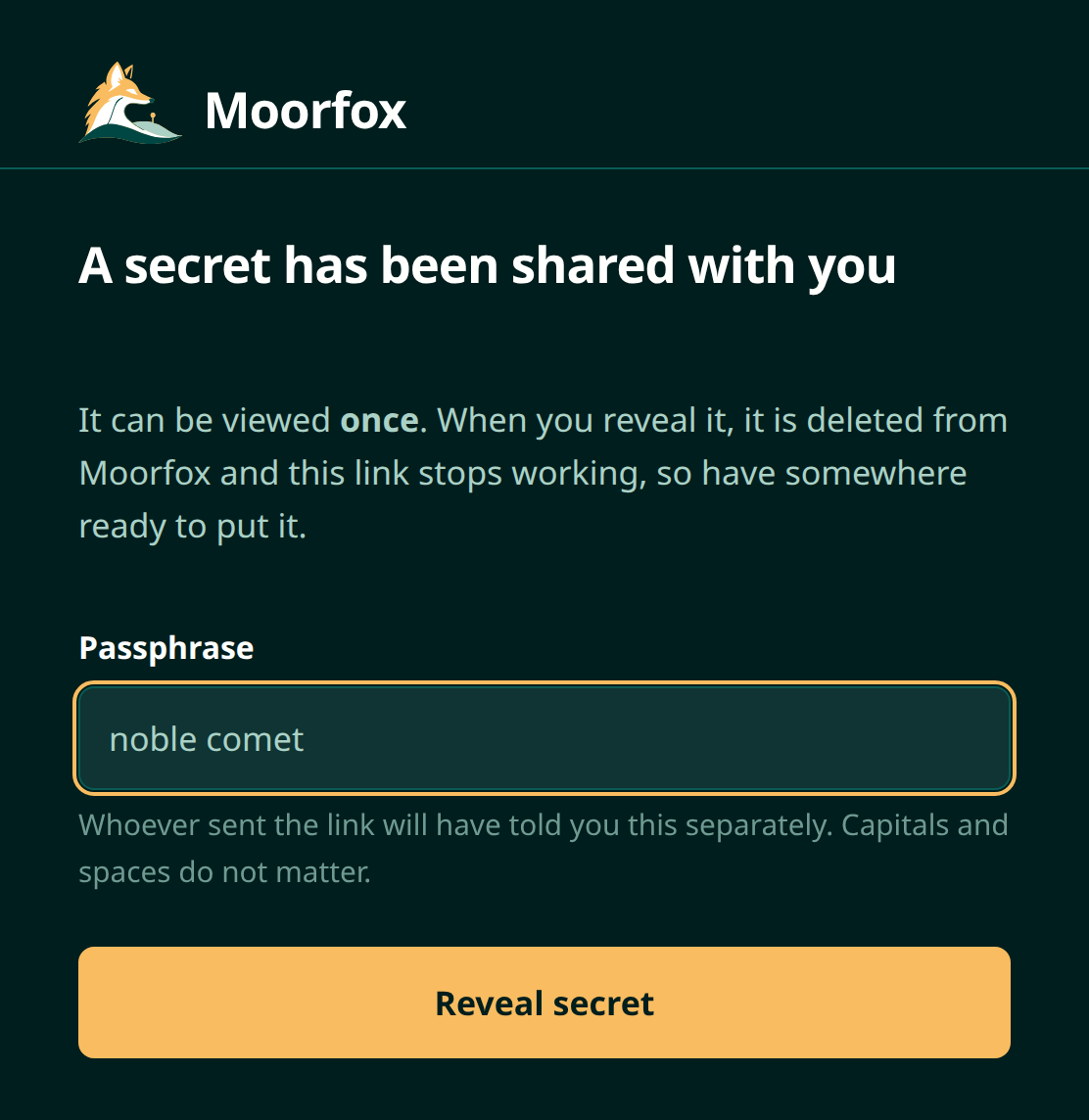
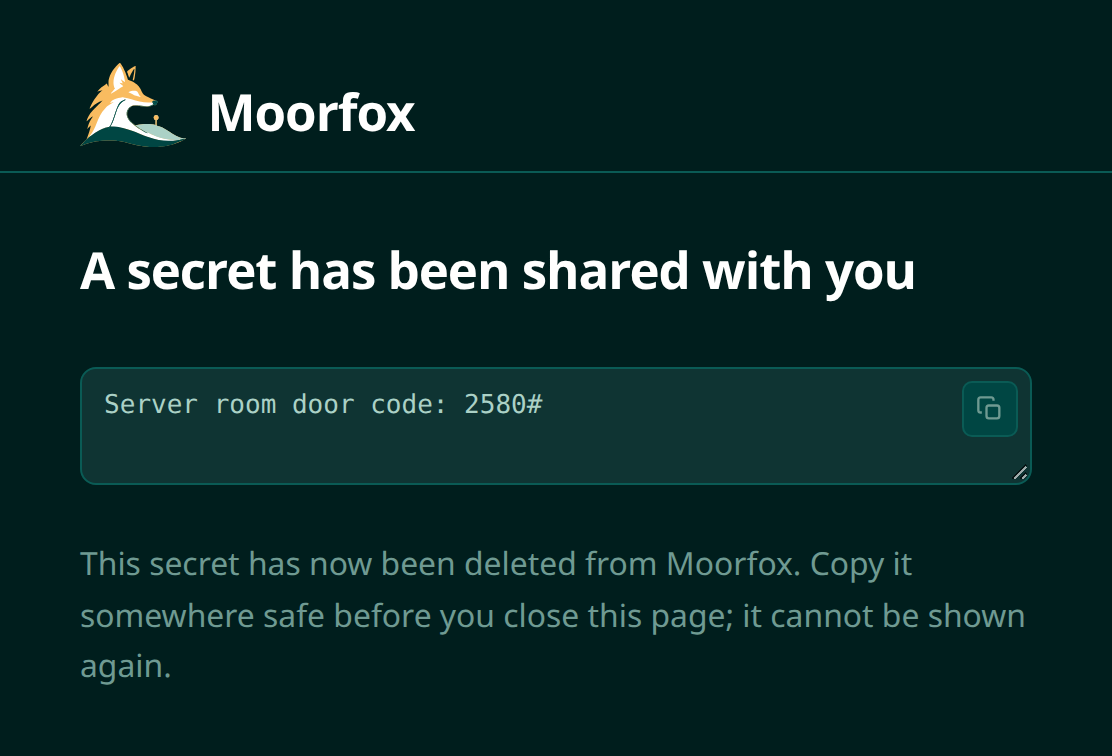
A wrong passphrase does not use up a view. The page says how many tries are left, and after five wrong tries the secret is deleted for good.
See who opened it
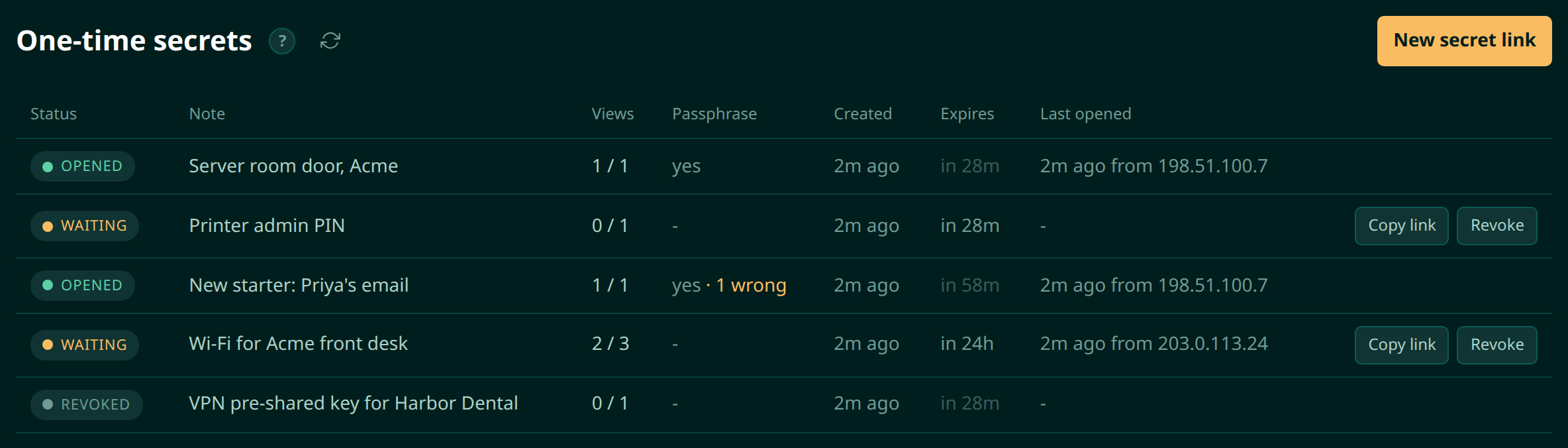
The list on the Secrets page shows every secret you made: whether it is still waiting, how many of its views have been used, whether it has a passphrase, when it expires and when it was last opened. Copy link and Revoke sit at the end of each row that can still be opened.
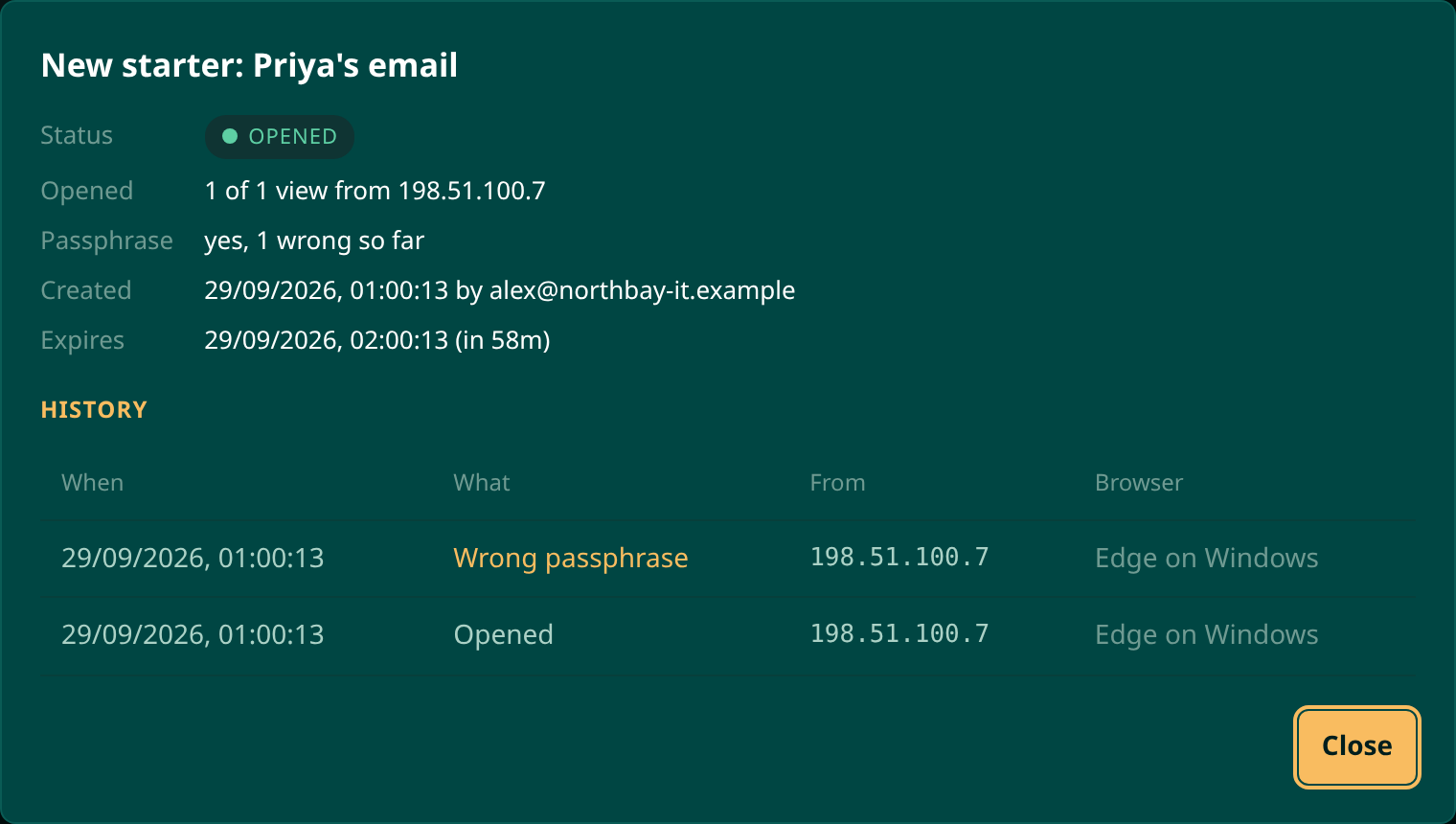
Click a secret to see its history: every view and every wrong passphrase, with the time, the IP address and the browser. If a link you sent to one person was opened from two places, this is where you find out.
| Status | What it means |
|---|---|
| Waiting | It can still be opened. Views may already have been used if you allowed more than one. |
| Opened | Every allowed view has been used, and the secret is deleted. |
| Revoked | Somebody pressed Revoke before it was used up. The secret is deleted. |
| Locked | Five wrong passphrases. The secret is deleted. |
| Expired | Nobody used it up before the expiry. The secret is deleted. |
How safe is it?
The secret is encrypted in your browser with AES-256 before it is sent,
and the key travels in the part of the link after the #,
which browsers never send to a server. Moorfox stores the encrypted copy
and nothing that can open it. With a passphrase, the key is made from the
link and the passphrase together, so the link alone cannot decrypt the
secret either.
Once a secret is used up, revoked, locked or expired, the encrypted copy is deleted straight away. The record that it existed, with its history, stays for 30 days after the expiry so you can still check who opened it, and is then removed. Every secret created, opened, revoked or locked is also written to the activity log.
Who can use it
Creating secrets needs the Share one-time secrets permission, which admins and technicians have by default and guests do not. A technician sees and revokes their own secrets; an admin sees everyone's in the organisation. See users and permissions. The person you send a link to needs no account.
Moorfox is remote monitoring and management without the enterprise tax.
One agent, one dashboard, remote desktop and a real terminal on every machine you look after.